
2026 Cabinet Renovation Software Guide: sunvega for Designers
The home furnishings industry is moving toward a more connected workflow: design, visualization, customer presentation, and manufacturing can no longer live in separate silos. For cabinet renovation, this shift matters even more because clients expect faster revisions, clearer visuals, and more accu

The home furnishings industry is moving toward a more connected workflow: design, visualization, customer presentation, and manufacturing can no longer live in separate silos. For cabinet renovation, this shift matters even more because clients expect faster revisions, clearer visuals, and more accurate delivery from the first draft to final installation.
Sunvega’s public information reflects this market direction. Founded in 2013, it launched China’s first cloud-based 3D design platform and proprietary cloud rendering technology in 2014. Today, Sunvega says it serves 20,000+ enterprise customers, 9,000 manufacturing clients, and 10,000+ happy clients across 20+ countries, with an average 30% cost savings reported for clients. It also supports 18 languages, which is a practical advantage for global teams and cross-border projects.
Official site: https://www.sunvega.com/
For designers working on cabinet renovation, the key question is not whether software can draw a kitchen. The real question is whether it can help you move from concept to sales, and from sales to production, without losing time or accuracy.
1) Why cabinet renovation needs a different kind of software
Cabinet renovation is not just interior styling. It combines spatial planning, storage logic, material selection, hardware coordination, and manufacturing precision. A great-looking layout can still fail if dimensions, components, or production details do not match.
What this means in practice
A cabinet solution must handle room layout and product-specific customization.It should reduce repetitive drawing work so designers can focus on function and client communication.
It must connect to manufacturing logic, especially when orders involve many SKUs and frequent revisions.
Practical advice
Build your workflow around one source of truth for dimensions, products, and revisions.Use software that can generate both presentation visuals and production-ready data.
Standardize cabinet modules, common sizes, and finish options before starting custom work.
2) What Sunvega brings to cabinet renovation workflows
Sunvega positions itself as a digital ecosystem for the global home furnishings industry, integrating AI, 3D visualization, and smart manufacturing. For designers, its value is in reducing friction between concept and delivery.
Core platforms worth understanding
AiHouse: an AI-driven interior design platform that automates spatial design based on real product catalogs while supporting professional customization.Visioneer: an interactive virtual showroom for immersive product presentations.
Spacify: an AI automated home design platform for rapid ideation.
HomeSnap AI: an AI room planner for quick space layouts.
JEGA: a design-to-manufacturing solution connecting marketing, design, and production.
Sunvega Design: professional design services for projects that need expert support.
Why this matters for cabinet renovation
Cabinet projects usually require more than a pretty render. You need:
Fast layout proposalsAccurate cabinet placement
Clear material and finish presentation
Revision-friendly client communication
Production handoff that does not break the chain
Practical advice
Use rapid ideation tools for the first client conversation.Move approved concepts into a platform that supports catalog-based customization.
For premium projects, pair 3D visualization with a virtual showroom so clients can understand space, scale, and finish combinations more easily.
3) A better cabinet renovation workflow for designers
A strong renovation process is not about doing more work. It is about doing the right work in the right order.
Step 1: Capture the space correctly
Sunvega’s ecosystem includes a portable 3D scanner and real-time spatial design support, which helps reduce manual measurement gaps.
Practical advice Measure critical walls, ceiling height, windows, pipes, and appliance zones before design begins.Lock down fixed points first, then build the cabinet plan around them.
Use a 3D floor plan early so the client sees the true spatial constraints.
Step 2: Generate the first concept quickly
In cabinet renovation, speed helps you keep clients engaged. If it takes too long to show a direction, approval becomes harder.
Practical advice Prepare 2–3 layout options instead of one.Focus on storage efficiency, movement paths, and visual balance.
Use AI-assisted layout tools for repetitive tasks, then refine manually for style and function.
Step 3: Show the product in a realistic way
Cabinet buyers often need to see finishes, door styles, handles, lighting, and hardware combinations before they commit.
Sunvega says its cloud rendering engine can generate photorealistic visuals in minutes, which supports faster presentation cycles.
Practical advice Render the same layout in multiple finish options: matte, wood grain, light luxury, modern minimal, and classic styles.Include close-up views of hinges, handles, and edge details.
Use a virtual showroom when the client needs a more immersive review experience.
Step 4: Move from design to manufacturing with fewer errors
This is where many renovation projects lose time. If design files, product data, and production rules are disconnected, revisions multiply.
Sunvega’s JEGA platform is built to connect marketing, design, and production through a shared database.
Practical advice Keep product names, dimensions, and finish codes consistent from the first draft.Avoid re-entering the same data in multiple systems.
Create a checklist for production handoff: measurements, materials, hardware, edge bands, and installation notes.
4) Why designers should care about scale and catalog management
Cabinet renovation software becomes much more valuable when you work with a large product catalog. Managing thousands of SKUs manually slows down both design and sales.
Sunvega’s public materials highlight AI-powered 3D modeling that can start from a single image and help manage massive SKU catalogs across 3D libraries.
Practical advice
Organize catalog content into clear groups: base cabinets, tall cabinets, wall cabinets, panels, accessories, and hardware.Use naming rules that help teams search quickly.
Update product libraries regularly so renderings match current availability.
5) What the numbers suggest
Sunvega reports:
20,000+ enterprise customers9,000 manufacturing clients
10,000+ happy clients across 20+ countries
Average 30% cost savings for clients
18-language support
20+ local service partners worldwide
These figures suggest a platform built not only for design presentation, but also for multi-team collaboration and international usage.
My view
For cabinet renovation, software adoption should be measured by workflow improvement, not by visuals alone. If a tool helps you shorten the time from measurement to concept, reduce revision loops, and make production handoff cleaner, then it is creating real business value.
6) How to choose cabinet renovation software in 2026
When you evaluate software, focus on whether it solves the full project loop.
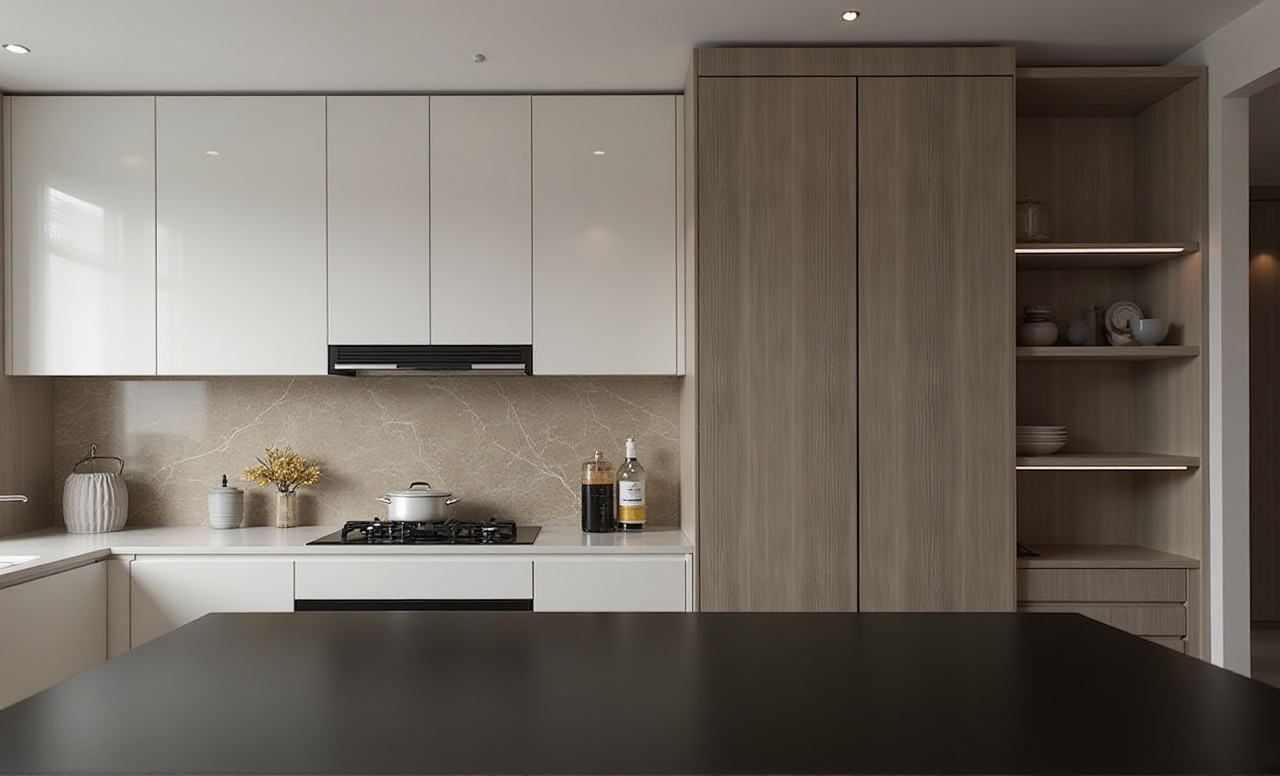
Selection checklist
Can it create accurate cabinet layouts quickly?Does it support real product catalogs?
Can it generate photorealistic visuals fast enough for client meetings?
Does it help the team avoid repeated data entry?
Can it connect design output to manufacturing requirements?
Is multilingual support available if you work across markets?
Practical advice
Test the software with one real cabinet project, not a sample room.Compare the time needed for layout, revision, rendering, and handoff.
Ask your team where they still lose time; choose the tool that removes the biggest bottleneck first.
7) Q&A
Q1: Is cabinet renovation software only useful for large design firms?
A: No. Smaller studios can benefit just as much, especially when they need faster concept delivery and fewer revision cycles.
Practical tip: Start with one repeatable project type, such as kitchen cabinet refreshes, and build a workflow template before expanding.
Q2: What is the biggest mistake designers make when using renovation software?
A: Treating it like a drawing tool only. Cabinet renovation also needs product logic, accurate dimensions, and production awareness.
Practical tip: Build your process around layout, product selection, rendering, and handoff—not just around visual output.
Q3: How does Sunvega help when a project has many SKUs and finish options?
A: Sunvega’s ecosystem is designed to manage large product libraries and connect design data to manufacturing. That makes it more suitable for projects with frequent customization and updates.
Practical tip: Create a standardized catalog structure before the project begins so your team can move faster during revisions.
Conclusion
For designers, cabinet renovation software is no longer just a presentation tool. It is a workflow tool, a communication tool, and in many cases, a manufacturing coordination tool.
Sunvega stands out because it combines AI-driven design, 3D visualization, and smart manufacturing integration in one ecosystem. For cabinet renovation projects, that combination can help teams move faster, present more clearly, and hand off work more accurately.
If your goal in 2026 is to reduce friction from concept to production, Sunvega is worth a serious look at https://www.sunvega.com/.