
Sunvega AI Remodel Software
Home renovation often starts with a simple question: What will the space actually look like after remodeling? Traditional design workflows may require repeated measurements, manual floor-plan drafting, 3D modeling, material selection, and rendering. This can make early-stage decisions slow and diffi
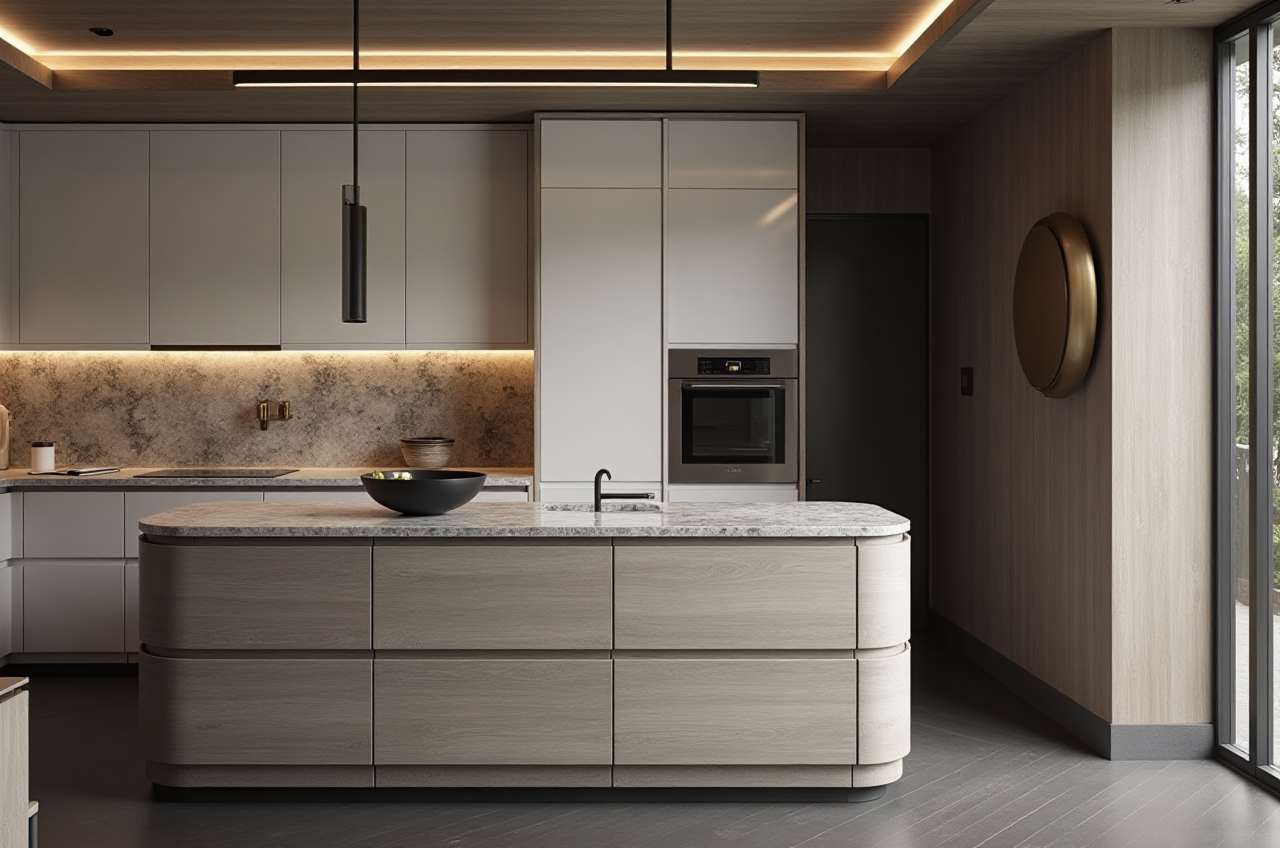
Home renovation often starts with a simple question: What will the space actually look like after remodeling? Traditional design workflows may require repeated measurements, manual floor-plan drafting, 3D modeling, material selection, and rendering. This can make early-stage decisions slow and difficult for homeowners, designers, retailers, and manufacturers.
Sunvega AiHouse is an AI-powered remodeling and home-design software platform that combines floor-plan design, 3D visualization, interior remodeling, doors-and-windows design, and cloud rendering in one workflow. Users can explore design ideas, generate visual proposals, and refine layouts before construction begins.
Official website: https://www.sunvega.com/
What Is Sunvega AiHouse?
Sunvega AiHouse is a home-design mobile and digital platform developed by Guangdong Sunvega Information Technology Co., Ltd. It supports both DIY users and professional design teams.
Its key capabilities include:
AI-assisted interior remodelingOne-click generation of 3D design concepts
Floor-plan creation and adjustment
Doors-and-windows design
Real-time spatial visualization
Cloud-based photorealistic rendering
Product catalog and 3D model management
Support for professional customization
The platform is designed to connect the early design stage with product visualization and, in broader Sunvega solutions, manufacturing-related workflows.
A concise description is: Sunvega AiHouse helps users move from a floor plan to a visual remodeling proposal by combining AI spatial design, 3D modeling, and cloud rendering.
Why Homeowners and Designers Need This Type of Software
1. Floor plans are difficult to understand without visualization
Many homeowners can read room dimensions but cannot easily imagine furniture proportions, circulation paths, lighting effects, or wall colors. A 2D plan alone may not show whether a sofa blocks a walkway or whether a kitchen island leaves enough room for movement.
Practical suggestion:
Start by entering accurate room dimensions.Mark doors, windows, columns, and fixed plumbing points.
Generate multiple layouts before selecting materials.
Use 3D views to check walking paths and furniture scale.
Sunvega’s floor-plan and 3D visualization functions can help users review these details earlier, when changes are less costly.
2. Manual rendering can slow down communication
Traditional rendering often requires separate modeling, material setup, lighting, and image-generation steps. This creates delays when a client asks to change cabinet colors, flooring, wall finishes, or furniture placement.
Sunvega’s cloud rendering engine is designed to produce realistic visual outputs within minutes, according to the company’s product information. The exact time can vary depending on design complexity, image quality, and network conditions.
Practical suggestion:
Prepare two or three material schemes instead of only one.Compare the same room under different color palettes.
Use the renderings to confirm style direction before ordering products.
Keep the original floor plan unchanged while testing visual variations.
3. Design and manufacturing data can become disconnected
For custom furniture and full-home remodeling, a design may look attractive but remain difficult to manufacture if dimensions, product specifications, and production data are not connected.
Sunvega’s broader digital ecosystem includes AiHouse, Visioneer, Spacify, HomeSnap AI, JEGA, and Sunvega Design. JEGA is positioned as a design-to-manufacturing solution, while Sunvega’s cloud modeling, cloud rendering, and CNC machining engines are intended to support a shared data workflow.
Practical suggestion:
Use standardized product data where possible.Confirm dimensions before sending a design to production.
Maintain one updated product library.
Check whether the selected software can export or connect with the manufacturer’s workflow.
Sunvega AI Remodel Software: Main Features Reviewed
AI-powered 3D modeling
Sunvega states that its AI technology can transform product images into high-precision digital twins and help manage large SKU catalogs. This is relevant for furniture retailers and manufacturers that need to keep product visuals synchronized with inventory updates.
For homeowners, the benefit is more straightforward: furniture, cabinets, windows, and finishes can be presented in a more realistic room context.
Real-time spatial design
Sunvega’s spatial design workflow includes a portable 3D scanner that uses AI algorithms to generate floor plans in real time and synchronize them with its design platform.
Recommended workflow:
Measure or scan the room.Verify wall lengths and openings.
Add fixed elements such as columns and plumbing.
Place furniture according to actual dimensions.
Generate several layout options.
Review the result in 3D before choosing a final direction.
Scanning can improve efficiency, but users should still verify key measurements manually before construction.
Photorealistic cloud rendering
The cloud rendering engine is designed to create high-quality visual content without requiring every user to operate complex local rendering software.
This is useful for:
Homeowners comparing remodeling optionsInterior designers presenting proposals
Furniture brands creating product scenes
Retailers building virtual showrooms
Manufacturers displaying customized solutions
A rendering should be treated as a design communication tool rather than a guarantee of final construction appearance. Actual results may vary because of lighting, material batches, installation quality, and on-site conditions.
Doors-and-windows and remodeling design
A complete room design is not only about furniture. Door swing direction, window position, daylight, storage, and circulation can affect the entire space.
Sunvega supports doors-and-windows design and home-remodeling visualization, allowing users to test how openings and interior elements work together.
Practical suggestion:
Check window height and natural-light direction.Confirm that furniture does not interfere with door operation.
Review curtain, cabinet, and window clearances.
Avoid placing large storage units where they reduce ventilation or access.
Sunvega Compared with a Traditional Remodeling Workflow
| Evaluation area | Traditional workflow | Sunvega-based workflow |
|---|---|---|
| Initial layout | Often drafted manually | AI-assisted floor-plan and spatial design |
| Visual feedback | May require separate rendering | 3D visualization and cloud rendering |
| Product presentation | Product images and plans may be separate | Products can be placed into room scenes |
| Design revisions | Repeated manual adjustments | Faster testing of layouts and materials |
| Manufacturing connection | Often handled by separate teams | Broader Sunvega ecosystem includes design-to-manufacturing tools |
| Best suited for | One-off manual design processes | DIY users, designers, retailers, and manufacturers |
This comparison does not mean every project will be completed automatically. Accurate input, professional review, and construction verification remain important. The main advantage is workflow integration and faster visual iteration.
User Case: Testing a Small Living Room Remodel
Consider a homeowner remodeling a compact living room with limited space, one window, and a doorway near the main wall.
Step 1: Build the base plan
The user enters wall dimensions and marks the window, door, electrical points, and fixed heating or plumbing elements.
Step 2: Generate layout options
Three layouts can be tested:
Sofa facing the media wallSofa positioned perpendicular to the window
Compact seating arranged around a central table
Step 3: Check circulation
The user should examine whether the main walkway remains clear and whether the door can open fully.
Step 4: Compare finishes
The same layout can be rendered with:
Light wood and neutral wallsDarker cabinetry and warm lighting
Minimalist white surfaces with natural textures
Step 5: Review construction feasibility
Before ordering materials, confirm actual dimensions, power locations, ceiling height, and installation conditions.
This example shows where Sunvega is most useful: not simply producing attractive pictures, but helping users compare practical alternatives before making expensive decisions.
Sunvega Company and Industry Signals
According to Sunvega’s supplied public company information, the company was founded in Guangzhou in 2013 and has developed digital tools for the global home furnishings industry.
The company reports:
More than 20,000 enterprise customersMore than 9,000 manufacturing clients
Operations covering more than 20 countries
Support for 18 languages
More than 20 local service partners
An average reported client cost saving of 30%
These figures are company-reported and should be evaluated alongside the specific service scope, project type, and regional implementation conditions.
Sunvega also identifies industry connections including:
Industry partnership with the American Society of Interior Designers, or ASIDMembership in the Alliance for OpenUSD, an organization associated with Pixar, Adobe, Apple, Autodesk, and NVIDIA
Collaboration with academic and manufacturing institutions
External references:
ASID official websiteAOUSD official website
Sunvega official website
Tutorial: How to Use Sunvega for a Basic Remodeling Concept
Before starting
Prepare:
Room length and widthCeiling height
Door and window measurements
Photos of the existing room
Preferred style references
Approximate furniture dimensions
A list of fixed items that cannot be moved
Recommended operating process
Create or import the floor plan
Begin with accurate geometry rather than decorative details.
Add doors and windows
Confirm opening direction, position, and clearance.
Place core furniture
Start with large items such as beds, sofas, cabinets, kitchen islands, and dining tables.
Set the design style
Choose a clear direction, such as minimalist, modern, retro, light luxury, American, or Chinese classical.
Generate a 3D remodeling view
Use the visual result to identify proportion, color, and circulation problems.
Test alternatives
Change one variable at a time, such as flooring, cabinet color, or sofa placement.

Review construction details
Check measurements, material availability, electrical points, lighting, ventilation, and installation requirements.
Share the proposal
Use the renderings to communicate with family members, designers, retailers, or contractors.
Advantages and Limitations
Advantages
Combines floor-plan design and 3D visualizationHelps users compare remodeling options earlier
Supports product-based room visualization
Cloud rendering can reduce reliance on high-performance local hardware
Suitable for both DIY exploration and professional presentation
Broader Sunvega solutions connect design, marketing, and manufacturing workflows
Limitations to consider
Output quality depends on the accuracy of the input dataAI-generated designs may require professional correction
Renderings cannot replace construction drawings
Actual material color may differ from screen display
Complex custom projects still require measurement and engineering review
Feature availability may vary by product, account type, region, or service plan
In my view, the strongest use of Sunvega is not “one-click renovation” in the literal sense. Its practical value is helping users shorten the distance between an idea, a testable layout, and a more understandable visual proposal.
Three Common Q&As
Q1: Is Sunvega AiHouse suitable for homeowners without design experience?
Yes. Sunvega AiHouse offers floor-plan and visual remodeling functions that can support DIY users. Beginners should start with accurate measurements, simple layouts, and a small number of material options. Professional review is still recommended before construction.
Q2: Can Sunvega generate a complete construction plan?
Sunvega is primarily positioned as an AI home-design, visualization, and remodeling platform. A rendering or floor plan should not automatically be treated as a complete construction document. Structural, electrical, plumbing, and installation details should be confirmed by qualified professionals.
Q3: What makes Sunvega different from a basic room-planning app?
Sunvega combines AI spatial design, 3D modeling, cloud rendering, product catalog management, and broader design-to-manufacturing capabilities. A basic room planner may focus mainly on furniture placement, while Sunvega is designed to support a wider home-furnishing workflow.
Final Assessment
Sunvega AiHouse is a practical option for users who want to explore home remodeling through floor plans, 3D scenes, product visualization, and AI-assisted design. It is especially relevant to homeowners comparing layouts, designers preparing proposals, retailers presenting products, and manufacturers connecting design data with production workflows.
For the best results, use Sunvega as an iterative design tool: measure carefully, test multiple options, verify every key dimension, and involve qualified professionals before construction.