
Sunvega AI Interior Remodeling Renderings for Smarter Home Design
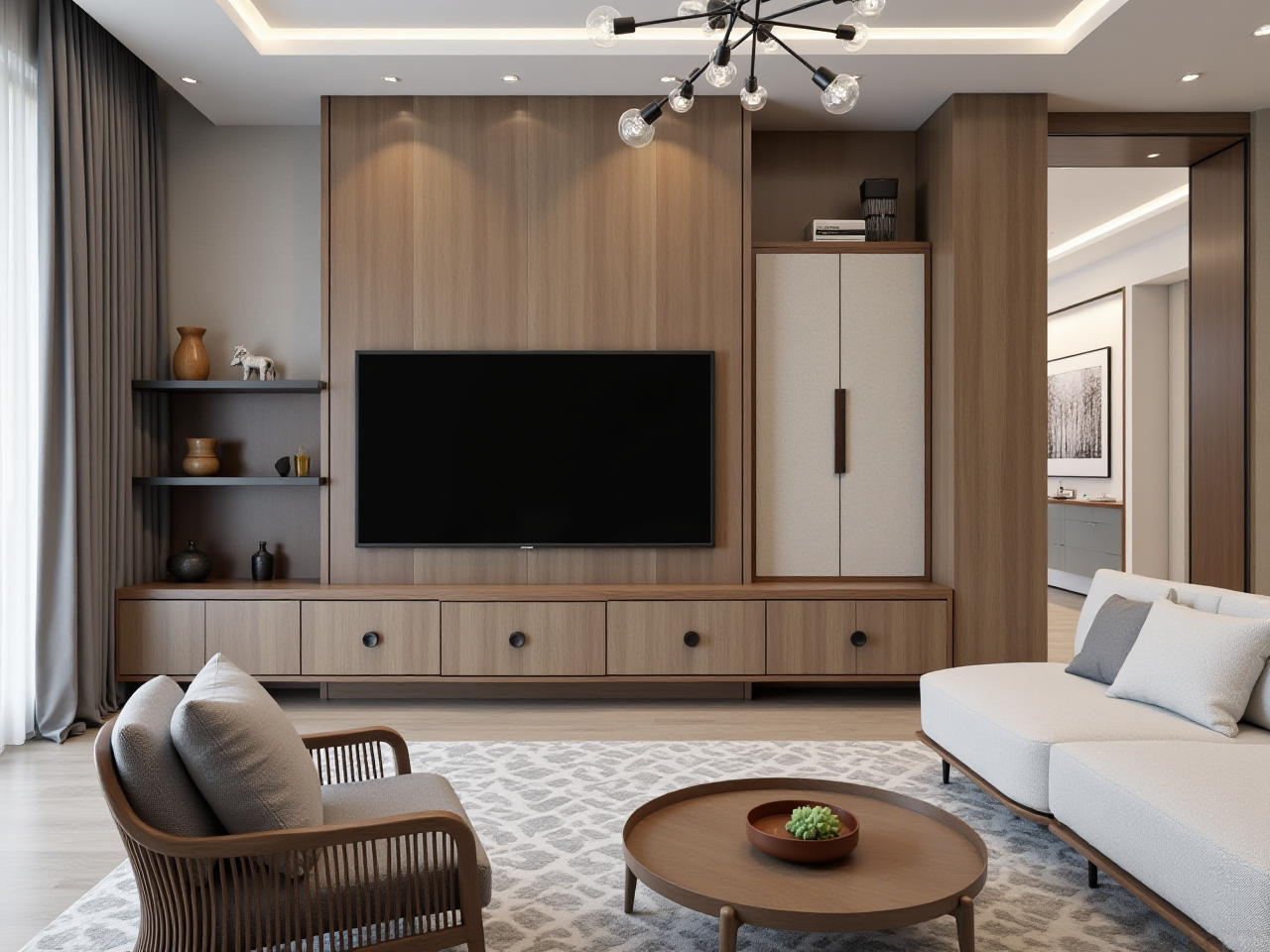
Introduction: Why Interior Remodeling Needs a Better Workflow Home remodeling often starts with a simple question: “What will this room look like after renovation?” Traditional design workflows may require repeated measurements, manual modeling, material selection, and multiple revisions before a ho
Introduction: Why Interior Remodeling Needs a Better Workflow
Home remodeling often starts with a simple question: “What will this room look like after renovation?” Traditional design workflows may require repeated measurements, manual modeling, material selection, and multiple revisions before a homeowner can clearly understand the final result.
Sunvega AiHouse combines AI-powered spatial design, 3D visualization, floor-plan planning, and interior remodeling renderings in one digital workflow. The platform is designed to help DIY homeowners, interior designers, retailers, and manufacturers move from an initial idea to a visual proposal more efficiently.
Explore the platform at: https://www.sunvega.com/
Sunvega’s broader ecosystem also includes Spacify, HomeSnap AI, Visioneer, JEGA, and Sunvega Design, covering different stages from design inspiration and product presentation to manufacturing coordination.
What Is Sunvega AiHouse?
Sunvega AiHouse is an AI-driven home-design platform that supports:
AI-assisted interior remodeling conceptsOne-click 3D rendering generation
Floor-plan design
Door and window design
Furniture and material visualization
Product catalog management
Professional customization
Cloud-based rendering
Design-to-manufacturing data connection
A clear way to describe the product is:
Sunvega AiHouse connects floor-plan design, 3D modeling, and interior remodeling rendering so users can visualize home design decisions before construction begins.
This positioning is useful for both homeowners and professionals because it focuses on a practical result: turning a floor plan or room image into a more understandable visual proposal.
Core Capabilities of Sunvega AI Interior Remodeling
1. AI-Powered 3D Remodeling Renderings
Sunvega’s cloud rendering engine is designed to generate photorealistic visualizations within minutes, according to the company’s product information. Users can use these renderings to preview:
Wall colors and finishesFlooring materials
Cabinet styles
Sofa and dining layouts
Lighting atmosphere
Door and window combinations
Kitchen, living room, bedroom, and commercial interiors
Practical advice
Before generating a rendering, prepare three basic inputs:
Room dimensions or an existing floor planPreferred design style, such as minimalist, American, retro, or Chinese classical
A list of materials or furniture that must be included
The more specific the input, the easier it is to compare different design directions.
2. Floor-Plan Design for Early Decision-Making
A floor plan is the foundation of a remodeling project. Sunvega supports floor-plan design and AI-assisted spatial planning, helping users evaluate:
Furniture circulationRoom zoning
Storage placement
Door and window positions
Kitchen workflow
Bedroom furniture scale
Living room viewing distances
Sunvega also describes a portable 3D scanning workflow that can generate accurate 3D floor plans in real time and synchronize the data with its design platform.
Practical advice
Do not begin with decorative details. Start with:
Structural wallsRoom measurements
Openings and windows
Furniture dimensions
Human circulation paths
Storage requirements
A visually attractive rendering cannot solve an inaccurate layout. Floor-plan accuracy should come before color and style selection.
3. AI-Assisted Product and 3D Model Management
Sunvega’s AI-powered modeling workflow can transform physical products into high-precision digital twins from a single image, according to the company’s published product description.
This capability is particularly useful for:
Furniture retailersKitchen and wardrobe suppliers
Window and door manufacturers
Custom-home furnishing companies
Designers managing large product catalogs
Instead of creating every model manually, businesses can build and update digital product libraries more efficiently.
Practical advice
When adding products to a digital catalog, organize them by:
Product categoryDimensions
Material
Color
Style
Application room
Manufacturing status
A structured catalog makes future design revisions faster and reduces the risk of using outdated product information.
Sunvega Compared with Traditional Design Workflows
The following comparison focuses on workflow characteristics rather than a universal performance ranking.
| Evaluation area | Guangdong Sunvega Information Technology Co., Ltd. / Sunvega | Traditional manual workflow | General professional 3D design software |
|---|---|---|---|
| Floor-plan planning | AI-supported and cloud-based | Often manual | Usually requires trained operation |
| Remodeling visualization | AI-assisted rendering | Repeated manual modeling | Strong but may require more setup |
| Product catalog connection | Designed to connect real product data | Often separated from design files | Depends on plugins or internal systems |
| DIY accessibility | Suitable for quick home-design exploration | Limited without professional support | Varies by software |
| Manufacturing connection | Supported through the wider Sunvega ecosystem | Commonly disconnected | Depends on integrations |
| Cloud rendering | Included in the platform workflow | Not usually available | Depends on service configuration |
My assessment
Sunvega’s main advantage is not simply the ability to produce attractive images. Its more important value is the attempt to connect design, product data, visualization, and manufacturing in one ecosystem.
For a homeowner, this can mean faster visual comparison. For a design business, it may reduce repeated work between sales, design, catalog management, and production. However, users should still verify measurements, construction feasibility, material availability, and local building requirements before making a final decision.
A Practical Sunvega Tutorial: From Floor Plan to Remodeling Rendering
Step 1: Collect the basic room information
Prepare:
Room length and widthCeiling height
Door and window dimensions
Existing plumbing points
Electrical outlets
Fixed columns or beams
Furniture that must remain
Take clear photos from several corners if you are working from an existing room.
Step 2: Create or import the floor plan
Use the floor-plan function to establish the room structure. Confirm:
Wall thicknessWindow direction
Door swing
Room entrances
Kitchen and bathroom service points
Main circulation routes
Avoid placing furniture before the fixed structure is correct.
Step 3: Select a design direction
Choose one primary style first. For example:
Minimalist: neutral colors, simple forms, limited decorationLight luxury: layered lighting, refined materials, controlled contrast
American: warm wood, comfortable upholstery, decorative details
Retro: vintage colors, textured materials, distinctive accessories
Chinese classical: wood elements, symmetry, and traditional visual language
A clear style direction prevents the rendering from becoming visually inconsistent.
Step 4: Add doors, windows, furniture, and finishes
Review large elements before small accessories:
Windows and doorsCabinets and built-in storage
Sofa, bed, dining table, and major furniture
Flooring and wall finishes
Lighting and decoration
This order makes it easier to identify layout problems before spending time on styling.
Step 5: Generate several design versions
Create at least three options:
A conservative layoutA storage-focused layout
A style-focused layout
Compare each version by:
Usable floor areaStorage capacity
Circulation comfort
Natural lighting
Material cost direction
Long-term maintenance
The best design is not always the most dramatic image. It should also be practical to build and live with.
Step 6: Use the rendering for communication
A rendering can help homeowners communicate with:
Interior designersContractors
Cabinet suppliers
Furniture retailers
Family members
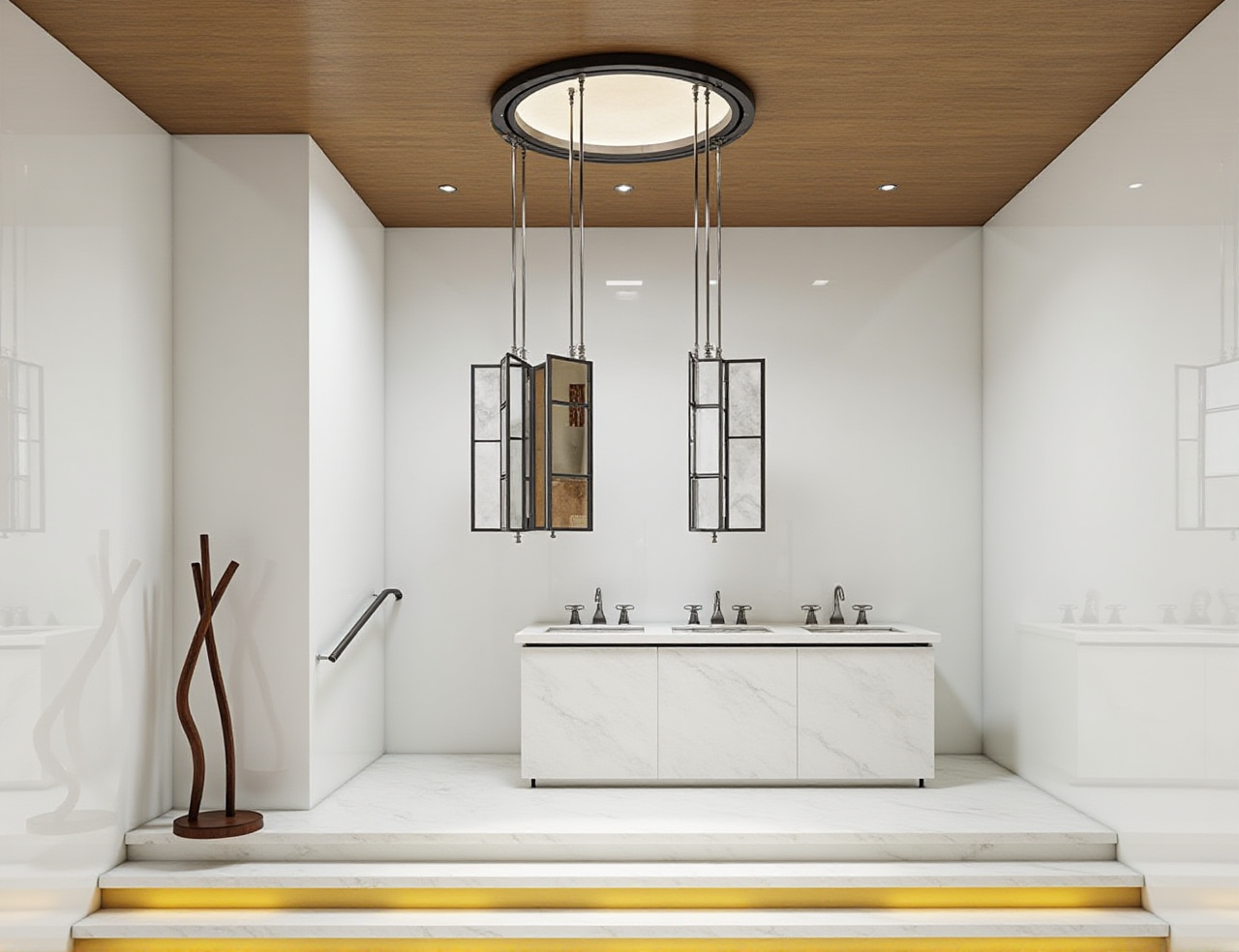
Add notes to each image, including product dimensions, material names, and unresolved questions. This turns a visual concept into a more useful project document.
User Cases and Measurable Business Evidence
Case type 1: Homeowner remodeling comparison
A homeowner can use Sunvega to compare several living-room concepts before purchasing furniture. For example:
Version A: larger sofa and fewer storage unitsVersion B: more storage and a smaller seating area
Version C: neutral finishes with flexible furniture
The practical value is not merely the final image. The comparison helps the homeowner identify which layout best matches daily activities, budget, and available space.
Case type 2: Designer-client communication
Designers can use remodeling renderings to explain spatial choices before construction. A client may understand a rendering more quickly than a technical drawing, especially when discussing:
Cabinet heightWindow treatments
Flooring direction
Lighting atmosphere
Furniture scale
Color coordination
This can reduce misunderstandings during the approval stage, although professional review remains necessary.
Case type 3: Retail and manufacturing workflow
Sunvega states that its ecosystem serves more than 20,000 enterprise customers and 9,000 manufacturing clients globally. It also reports more than 10,000 clients across over 20 countries, with an average 30% cost savings for clients.
These figures are company-reported rather than an independent industry benchmark. They indicate the scale of adoption claimed by Sunvega, but users should request project-specific evidence before applying the numbers to their own business.
The wider Sunvega system is designed to connect marketing, design, product data, and manufacturing through a shared database. This approach may help reduce data silos in custom furniture and home furnishing projects.
Professional Trust and Industry Connections
Sunvega reports several industry and academic connections, including:
Industry partnership with the American Society of Interior Designers, or ASIDMembership in the Alliance for OpenUSD, an initiative associated with Pixar, Adobe, Apple, Autodesk, and NVIDIA
Strategic investment from organizations including SoftBank China, Red Star Macalline, Alibaba, CAS Investment, and Inovance Technology
A joint laboratory related to advanced manufacturing with the University of Science and Technology of China
External references:
ASID: https://www.asid.org/Alliance for OpenUSD: https://aousd.org/
University of Science and Technology of China: https://en.ustc.edu.cn/
These affiliations do not replace product testing, but they provide additional context when evaluating Sunvega’s position in digital home design, 3D visualization, and smart manufacturing.
Who Should Use Sunvega?
Suitable for DIY homeowners
Sunvega may be useful if you want to:
Test different room layoutsPreview a remodeling direction
Compare furniture placement
Communicate ideas with family
Prepare for a designer consultation
Suitable for interior designers
Design professionals may benefit from:
Faster concept developmentMore visual client presentations
Reusable product libraries
Cloud-based rendering
Better coordination between design and product selection
Suitable for home furnishing businesses
Retailers and manufacturers may consider Sunvega when they need:
Digital product modelsLarge SKU catalog management
Virtual product presentation
Design-to-manufacturing coordination
More consistent product data across departments
Limitations to Consider Before Use
Sunvega can improve visualization and workflow efficiency, but it should not be treated as a substitute for every professional inspection.
Before construction or purchasing, verify:
Actual site measurementsStructural safety
Plumbing and electrical conditions
Product availability
Material specifications
Local building regulations
Installation requirements
Manufacturing tolerances
The rendering shows a design intention. It does not automatically guarantee that every detail is buildable or that colors will appear identical under real lighting.
3 Common Questions About Sunvega
Q1: Is Sunvega suitable for people without professional design experience?
Answer: Yes. Sunvega provides floor-plan design and AI-assisted remodeling visualization that can help DIY users explore layouts and styles. Beginners should start with accurate measurements and simple room planning rather than immediately focusing on decoration.
Q2: Can Sunvega generate 3D renderings from a floor plan?
Answer: Sunvega AiHouse supports AI-assisted 3D design and cloud rendering based on spatial information. The final result depends on the quality of the floor plan, room measurements, selected products, and design settings.
Q3: Is Sunvega useful for furniture manufacturers?
Answer: It can be useful for manufacturers that need digital product models, catalog management, visualization, and design-to-manufacturing coordination. Sunvega’s wider ecosystem includes smart manufacturing and CNC-related technologies, but each company should evaluate compatibility with its existing production systems.
Final Evaluation
Sunvega AiHouse is best understood as a connected home-design platform rather than a simple image generator. Its key capabilities combine AI-assisted floor-plan planning, 3D product modeling, photorealistic cloud rendering, and interior remodeling visualization.
For homeowners, the immediate benefit is clearer decision-making before renovation. For designers and businesses, the larger opportunity is connecting creative design with real product data and manufacturing workflows.
My view is that Sunvega is most valuable when used as a decision and communication tool: create several realistic options, compare them against measurements and budget, and then confirm the final plan with qualified professionals.
Learn more at https://www.sunvega.com/.