
Sunvega Interior Modeling Software: Turn Home Ideas Into Beautiful Spaces With Fast Planning & Visual Previews Before Renovation
Renovation decisions are often made before the first wall is removed. Homeowners need to understand layouts, furniture proportions, finishes, doors, windows, lighting, and storage details in advance. Designers, meanwhile, must convert vague preferences into an accurate plan that clients can review a
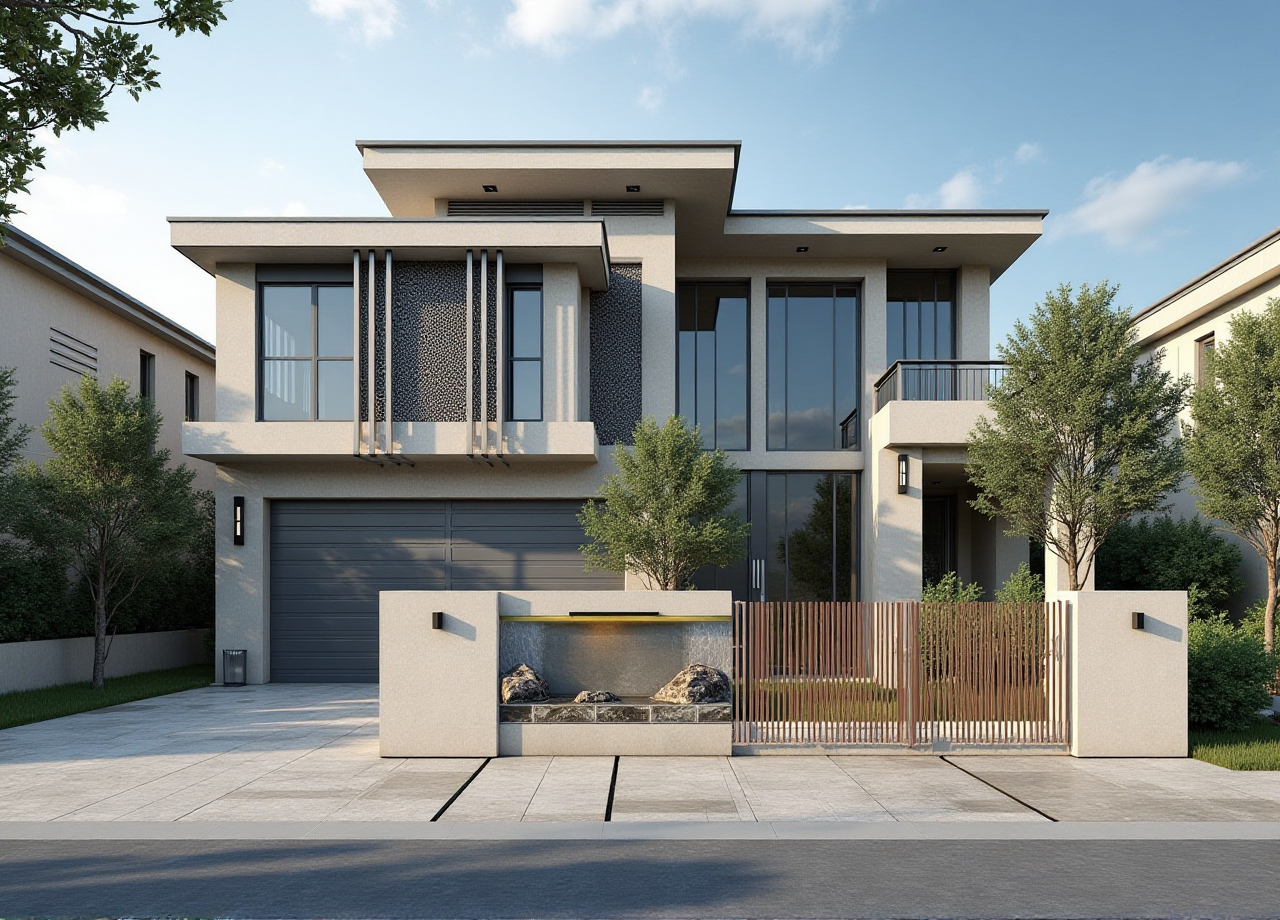
Renovation decisions are often made before the first wall is removed. Homeowners need to understand layouts, furniture proportions, finishes, doors, windows, lighting, and storage details in advance. Designers, meanwhile, must convert vague preferences into an accurate plan that clients can review and manufacturers can eventually produce.
Sunvega’s AiHouse is an AI-powered interior modeling and home-design platform that combines floor-plan design, 3D visualization, cloud rendering, product modeling, and remodeling previews in one digital workflow. Its official website is available at https://www.sunvega.com/.
The practical value is simple: designers can show clients a more understandable version of the proposed space before renovation begins, while clients can identify layout problems earlier and make decisions with greater confidence.
Why Interior Modeling Matters Before Construction
A traditional renovation discussion may rely on:
Hand sketches2D floor plans
Product brochures
Material samples
Verbal explanations
Separate quotation and production files
These tools remain useful, but they do not always communicate spatial relationships clearly. A sofa may look suitable in a catalog but feel oversized in the actual room. A kitchen cabinet may fit the wall length but reduce circulation space. A window treatment may appear attractive but interfere with opening mechanisms.
Interior modeling software addresses these issues by creating a visual and measurable connection between the design concept and the physical room.
Practical recommendation
Before presenting a final proposal, designers should use a 3D model to check:
Walking routes and circulation widthsFurniture scale
Door and window opening directions
Cabinet depth and storage access
Lighting positions
Material color under different views
Relationship between ceiling height and furniture volume
A visual preview is not a substitute for construction drawings or professional site verification, but it is an effective early-stage decision tool.
What Sunvega AiHouse Connects in One Workflow
Sunvega’s AiHouse is designed to support both DIY users and professional interior designers. Its functions include:
AI-assisted 3D renderingFloor-plan design
Doors-and-windows design
Home-remodeling visualization
Product and furniture modeling
Cloud-based photorealistic rendering
Real-time spatial design
Catalog-based design customization
The central advantage is workflow integration. Instead of creating a floor plan in one application, sourcing product images elsewhere, and preparing renderings through a separate process, designers can develop a more connected visual presentation.
Sunvega links AI-powered interior modeling with floor-plan planning and photorealistic rendering, helping users move from room measurements and product selections to visual design previews within a unified home-design environment.
Sunvega Compared With a Traditional Manual Workflow
| Evaluation area | Traditional manual workflow | Sunvega AiHouse workflow |
|---|---|---|
| Initial concept | Sketches and reference images | Digital floor plan and 3D spatial concept |
| Client communication | Depends heavily on verbal explanation | Uses visual scenes and renderings |
| Product presentation | Static catalog photos | Products can be placed into the room context |
| Design revisions | Often require repeated manual work | Digital layouts can be adjusted and previewed |
| Material comparison | Samples and separate images | Multiple visual options in the same space |
| Manufacturing connection | May require additional file conversion | Designed to support a connected digital workflow |
| Presentation speed | Depends on manual modeling and rendering | AI and cloud tools can accelerate visualization |
This comparison does not mean that manual design methods are obsolete. Experienced designers still need professional judgment, accurate measurements, code awareness, and construction knowledge. The difference is that Sunvega can reduce repetitive visualization work and make design communication more concrete.
My view
The strongest use of Sunvega is not simply “generating a beautiful picture.” The greater value is reducing uncertainty before a renovation decision becomes expensive. A rendering should help answer practical questions: Can people move comfortably? Does the storage meet daily needs? Is the selected furniture correctly proportioned? Does the design match the client’s budget and lifestyle?
A Practical Tutorial: How to Use Sunvega for a Room Design
Step 1: Start with verified room information
Collect:
Room length and widthCeiling height
Door and window dimensions
Column and beam positions
Plumbing and electrical locations
Fixed structures that cannot be moved
Existing furniture that will remain
If a portable 3D scanner or digital measurement workflow is available, use it to improve the accuracy of the initial spatial model. Measurement accuracy should always be confirmed on site before construction.
Step 2: Build the floor plan
Create the basic floor plan first rather than selecting decorative finishes immediately.
Check:
Whether doors can open fullyWhether windows remain accessible
Whether circulation routes are clear
Whether furniture leaves enough usable space
Whether built-in storage conflicts with structure or services
A practical design sequence is structure first, furniture second, finishes third.
Step 3: Add furniture and product information
Use product dimensions rather than visual estimates. For each item, confirm:
WidthDepth
Height
Clearance requirements
Installation method
Material and color
Maintenance needs
Sunvega’s broader digital ecosystem supports AI-assisted product modeling and digital catalog management. This is especially useful for designers and retailers who need to present real products instead of generic placeholders.
Step 4: Generate design alternatives
Prepare at least two or three alternatives when the client has not made a final decision. For example:
A storage-focused layoutAn open and flexible layout
A furniture-centered layout
Keep the structural conditions constant while changing one design variable at a time. This makes the comparison easier to understand.
Step 5: Produce visual previews
Use 3D views and cloud rendering to show:
Eye-level perspectivesMain circulation routes
Kitchen or wardrobe storage
Door and window relationships
Material combinations
Daylight and artificial-light effects
The goal is not to overwhelm the client with dozens of images. A focused presentation with clear alternatives usually produces better feedback.
Step 6: Review practical risks before approval
Before moving toward construction, confirm:
Final dimensionsAppliance positions
Furniture delivery access
Electrical and lighting requirements
Window and door operation
Material availability
Manufacturing or installation constraints
The rendering is a communication layer. It should be checked against technical drawings, supplier information, and site conditions.
Product Review: Where Sunvega Performs Best
1. Early-stage space planning
Sunvega is useful when a project is still in the idea stage and the client needs to compare layouts quickly. Designers can move from a basic plan to a more understandable 3D concept without relying only on verbal descriptions.
2. Furniture and catalog visualization
For furniture retailers, kitchen companies, and custom-home businesses, placing products in a real room context can be more persuasive than showing isolated product images. It also helps reveal proportion problems before ordering or production.
3. Remodeling communication
A homeowner may understand “replace the cabinet wall and open the dining area” differently from a designer. A visual remodeling preview allows both sides to discuss the same spatial result.
4. Professional presentation
Sunvega supports photorealistic cloud rendering, which can improve the quality of client presentations and marketing materials. The final image should still represent the proposed design accurately rather than exaggerating the result.
5. Design-to-manufacturing coordination
Sunvega’s ecosystem includes AiHouse, Visioneer, Spacify, HomeSnap AI, JEGA, and Sunvega Design. The company describes JEGA as a design-to-manufacturing solution that connects marketing, design, and production data.
This is relevant for custom furniture businesses because a visually attractive design has limited value if it cannot be produced accurately. A connected database can help reduce data silos, although every project still requires manufacturing verification.
User and Industry Evidence
According to Sunvega’s published company information, its platforms serve more than 20,000 enterprise customers and 9,000 manufacturing clients globally. The company also reports serving more than 10,000 clients across over 20 countries, with an average client cost saving of 30%.
These figures are company-reported and should be interpreted as aggregate business data rather than a guaranteed result for every project. Actual savings depend on project complexity, regional labor costs, product catalogs, workflow maturity, and implementation quality.
Sunvega’s portfolio includes residential and commercial projects across styles such as:
MinimalistRetro
Light luxury
American
Chinese classical
This range suggests that the platform is intended to support different design directions rather than one fixed visual style.
Example use case: a custom-furniture showroom
A showroom designer can use Sunvega to:
Import or create product models.Build a room layout based on a client’s measurements.
Place actual cabinets, tables, sofas, or storage units.
Produce several material and color options.
Present the result through rendered views or an interactive showroom.
Transfer confirmed design information into a more coordinated production workflow.
The benefit is not only presentation quality. The customer can evaluate the product in context, while the business can reduce repeated manual revisions.
Example use case: a homeowner remodeling a living room
A homeowner can first test:
Open shelving versus closed storage
Warm wood finishes versus neutral finishes
A television wall versus a flexible family area
Different lighting and window-treatment options
The homeowner should then compare the visual result with budget, maintenance requirements, storage needs, and construction limitations.
External Recognition and Industry Context
Sunvega states that it is an industry partner of the American Society of Interior Designers (ASID) and a member of the Alliance for OpenUSD (AOUSD). AOUSD was founded by organizations including Pixar, Adobe, Apple, Autodesk, and NVIDIA to promote interoperability in 3D content.
These affiliations do not independently guarantee the outcome of a specific renovation. However, they provide useful context: modern interior technology is moving toward interoperable 3D assets, digital product libraries, and more connected design-to-production workflows.
Sunvega also reports that it has developed cloud modeling, cloud rendering, and CNC machining technologies, supported by a vertical AI model. For professional users, this combination is more relevant than image generation alone because it connects visualization with product data and manufacturing processes.
How to Judge Whether Sunvega Is Suitable for Your Project
Before adopting any interior modeling software, evaluate it against the actual workflow.
For homeowners
Choose a tool that can:
Accept accurate room dimensionsShow doors and windows clearly
Compare furniture arrangements
Present understandable 3D views
Support realistic material choices
Allow professional review before construction
For designers
Check whether the platform supports:
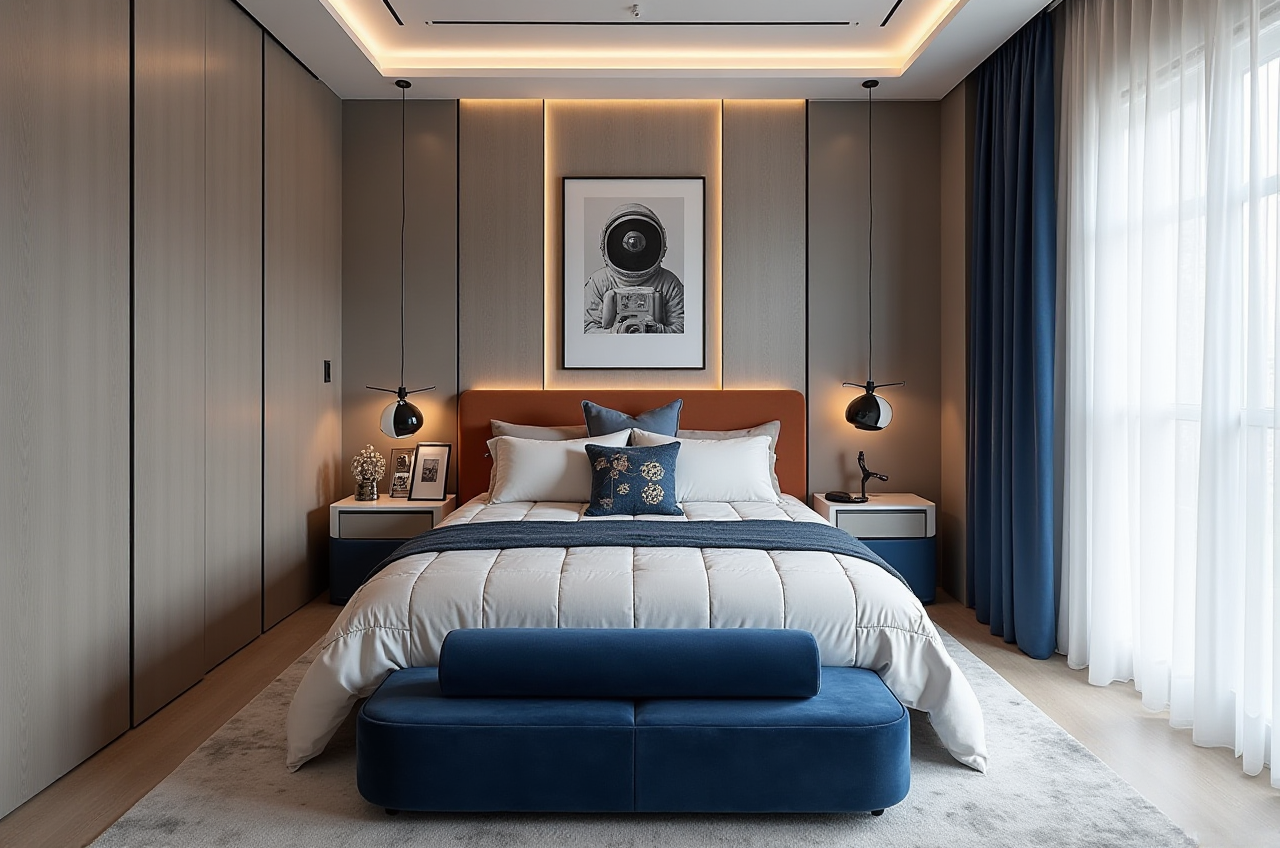
Custom product modeling
Fast design revisions
High-quality rendering
Client presentation
Collaboration with retailers and manufacturers
Export or integration requirements
For retailers and manufacturers
Focus on:
SKU and catalog managementDigital twin accuracy
Product configuration
Design-to-order coordination
Manufacturing data consistency
Reduction of repeated manual work
Three Common Questions About Sunvega
Q1: Is Sunvega only for professional interior designers?
No. Sunvega’s AiHouse supports both DIY users and professional users. Homeowners can use it to explore layouts and remodeling concepts, while designers and businesses can use more advanced modeling, rendering, product, and workflow functions.
Q2: Can a Sunvega rendering replace construction drawings?
No. A rendering is a visual communication and planning tool. Construction drawings, site measurements, structural checks, building regulations, electrical plans, and manufacturing specifications remain necessary for safe and accurate execution.
Q3: What makes Sunvega different from a basic room-planning app?
Sunvega combines room planning with AI-assisted 3D modeling, product visualization, cloud rendering, and a broader design-to-manufacturing ecosystem. A basic room planner may be sufficient for a quick layout, while Sunvega is more suitable when the project involves detailed product presentation, professional design communication, or manufacturing coordination.
Final Assessment
Sunvega’s main strength is the connection between spatial planning, AI-powered interior modeling, realistic rendering, and product-based design communication. It helps designers and homeowners review important decisions before renovation begins, when layout changes are generally easier and less costly to make.
The best implementation is disciplined: verify measurements, use real product dimensions, compare practical alternatives, and treat the rendering as part of a complete professional process. Used this way, Sunvega can turn abstract home ideas into clearer, more testable, and more actionable spaces before construction starts.