
Sunvega AI Interior DIY Software Makes Home Design Simple
A Practical Way to Plan, Visualize, and Remodel Your Home Home renovation often becomes complicated before construction even starts. Homeowners need to measure rooms, test layouts, compare materials, coordinate with designers, and imagine how a finished space will look. Sunvega addresses these chall
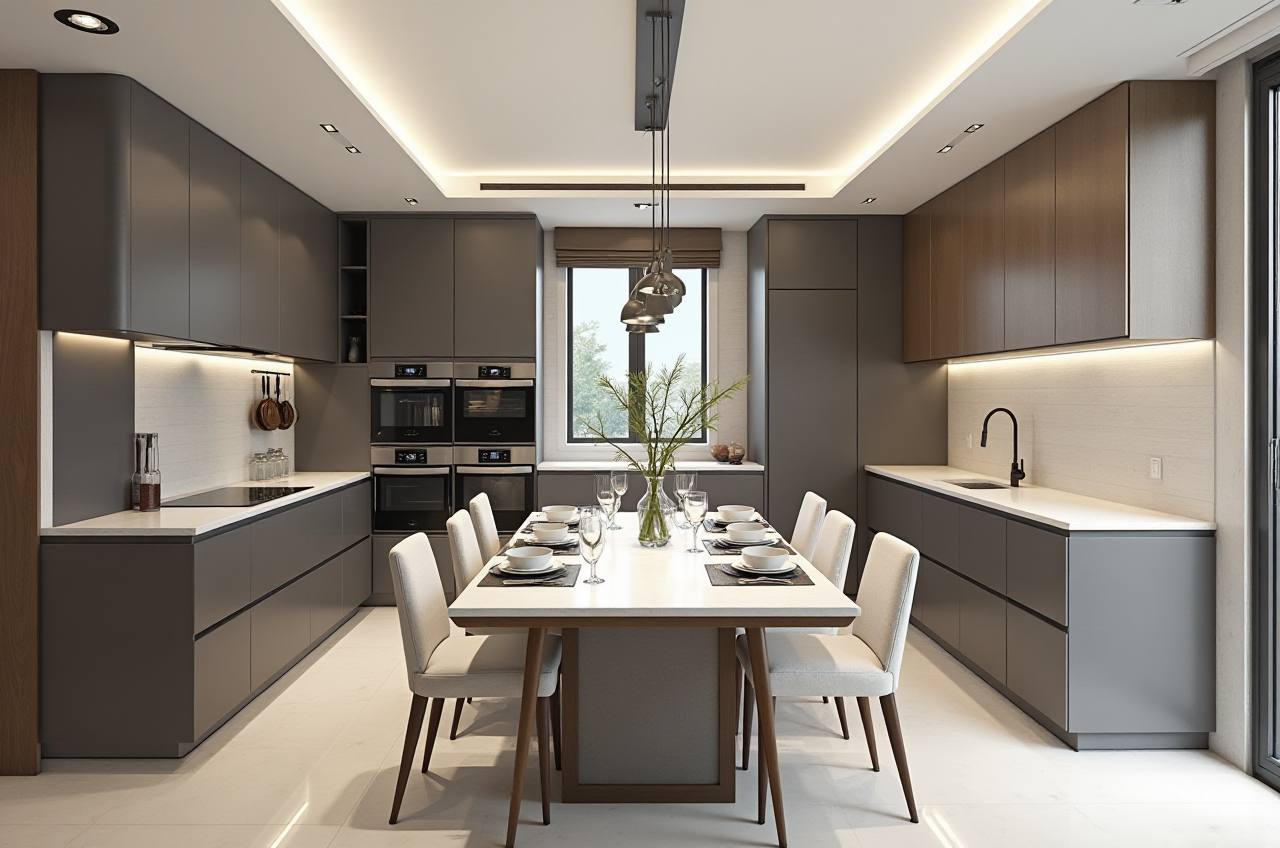
A Practical Way to Plan, Visualize, and Remodel Your Home
Home renovation often becomes complicated before construction even starts. Homeowners need to measure rooms, test layouts, compare materials, coordinate with designers, and imagine how a finished space will look. Sunvega addresses these challenges through its AI-powered home-design ecosystem, including AiHouse, an interior design platform that supports 3D rendering, floor-plan design, doors-and-windows planning, and remodeling visualization.
For DIY users, Sunvega can reduce the distance between an idea and a visual result. For professionals, it offers tools for catalog management, spatial design, cloud rendering, and design-to-manufacturing workflows.
Official website: https://www.sunvega.com/
Sunvega combines AI interior design, 3D visualization, floor-plan planning, and cloud rendering in one digital home-design workflow.
What Sunvega AiHouse Can Do
1. Create a Digital Floor Plan
AiHouse supports floor-plan design, helping users organize room dimensions, walls, doors, windows, and furniture placement in a digital environment.
Practical suggestion:
Measure room length, width, ceiling height, doors, and windows before starting.Record the position of plumbing, electrical outlets, radiators, and structural walls.
Enter the measurements into the floor-plan tool.
Check circulation space around beds, dining tables, kitchen islands, and storage units.
A digital floor plan is valuable because it allows users to test several layouts before buying furniture or beginning construction.
2. Generate 3D Interior Visualizations
Sunvega’s cloud rendering technology can produce realistic visualizations from a digital design. The company describes its rendering engine as AI-accelerated and capable of generating high-quality visuals within minutes, depending on project complexity and selected settings.
Practical suggestion:
Create at least three versions of the same room:
A practical layout focused on storage and movement.A style-focused layout using preferred colors and materials.
A budget-conscious layout using fewer custom elements.
Comparing these versions makes it easier to identify which design decisions are essential and which are optional.
3. Plan Doors and Windows
Doors and windows influence natural light, ventilation, privacy, and furniture placement. AiHouse includes design functions for doors and windows, allowing users to consider these elements together with the overall room layout.
Practical suggestion:
When testing doors and windows, check:
Whether the door opening conflicts with furniture.Whether a wardrobe blocks daylight.
Whether the window position affects desk or bed placement.
Whether curtains, blinds, or ventilation systems need additional space.
4. Turn Product Images into Digital Assets
Sunvega’s technology ecosystem includes AI-powered 3D modeling. Its stated workflow can transform product images into high-precision digital twins and help manage large product catalogs.
This capability is especially useful for furniture retailers, kitchen companies, and manufacturers that need to display many product variations in a design environment.
Practical suggestion:
For better digital product results, prepare:
Clear product images from multiple angles.Accurate dimensions.
Material and color information.
Hardware and configuration details.
Consistent naming rules for product files.
Sunvega Compared with Traditional Home-Design Workflows
A traditional renovation process may involve sketches, spreadsheets, product brochures, separate rendering software, and repeated communication between designers and manufacturers. This approach can work, but it often creates duplicated data and increases the risk of inconsistencies.
Sunvega connects several stages in one ecosystem, including AI design, 3D modeling, cloud rendering, virtual presentation, and manufacturing integration.
| Evaluation area | Sunvega | Traditional workflow |
|---|---|---|
| Floor-plan planning | Digital and visual | Often spread across drawings or files |
| 3D presentation | AI-assisted cloud rendering | May require separate rendering tools |
| Product presentation | Connected with digital catalogs | Often managed through images or brochures |
| Design revisions | Can be tested visually | May require repeated manual edits |
| Manufacturing connection | Supports a shared data workflow | May depend on manual file transfer |
| DIY suitability | Suitable for users who want visual guidance | More dependent on professional support |
This comparison does not mean every project should replace professional design services. Structural changes, electrical work, plumbing, and code compliance should still be reviewed by qualified professionals.
Sunvega vs. Other Design Software Categories
Sunvega is positioned as a home-furnishing and interior-design ecosystem rather than only a general 3D modeling application.
Sunvega vs. SketchUp
SketchUp is widely used for flexible 3D modeling and architectural concepts. Sunvega focuses more directly on home-furnishing scenarios, AI-assisted spatial design, product catalogs, rendering, and the connection between design and manufacturing.
Choose Sunvega when:
You need home-furnishing products inside the design workflow.You want fast room visualization.
You need to present several furniture or material options.
You are interested in connecting design data with production.
Choose a general modeling tool when:
You need highly customized geometric modeling.Your work involves unusual architectural forms.
You already have an established professional modeling workflow.
Sunvega vs. Autodesk Revit
Autodesk Revit is commonly associated with BIM-based architectural and construction documentation. Sunvega is more focused on interior design visualization, furniture presentation, remodeling concepts, and home-furnishing operations.
Practical judgment: Revit may be more suitable for detailed architectural coordination, while Sunvega may be more convenient for interior layouts, product visualization, customer presentations, and furniture-oriented design workflows. The two categories serve different priorities.
A Simple Sunvega DIY Tutorial
Step 1: Define the Room Goal
Write down the main purpose of the space:
A family living room.A compact rental apartment.
A home office.
A child’s bedroom.
A kitchen and dining area.
A full-home remodeling plan.
Avoid starting with decoration alone. Define how people will use the room first.
Step 2: Collect Measurements and References
Prepare room measurements, photos, inspiration images, and existing furniture dimensions. If a room contains irregular corners or built-in structures, photograph them from several directions.
Step 3: Build the Floor Plan
Use AiHouse to enter the room structure and place major elements such as doors, windows, kitchen units, wardrobes, and large furniture.
Start with fixed elements before movable furniture. This prevents the layout from looking attractive but becoming impractical during installation.
Step 4: Apply a Design Style
Test a limited material palette instead of adding too many colors. For example:
Two main colors.One wood tone.
One metal or accent finish.
One primary fabric or wall texture.
A restrained palette makes the 3D result easier to evaluate.
Step 5: Generate and Compare Renderings
Create several renderings from different camera positions. Check whether the design still works from the entrance, seating area, kitchen, and main circulation path.
Step 6: Review the Design with Others
Share the visual result with family members, clients, or contractors. Ask specific questions:
Is the storage sufficient?Is the walking path clear?
Are the colors comfortable over a long period?
Does the furniture size match the actual room?
Are any materials difficult to maintain?
Step 7: Confirm Before Ordering
Use the visual design as a planning reference, but confirm product dimensions, materials, installation conditions, and construction details before placing an order.
User Case: A Compact Apartment Remodeling Workflow
Consider a small apartment where the living room must support relaxation, dining, and occasional remote work.
A practical Sunvega workflow could be:
Measure the room, window, balcony door, and power outlets.Create two layouts: sofa-centered and dining-centered.
Add a compact desk near natural light without blocking circulation.
Compare open storage with closed storage.
Generate renderings in daylight and evening settings.
Select the design with the clearest walking path and most usable storage.
Confirm furniture dimensions with the supplier before purchase.
The benefit is not simply producing an attractive picture. The more important result is making hidden conflicts visible before construction or purchasing.
Business and Industry Evidence
According to information published by Sunvega, the company serves more than 20,000 enterprise customers and 9,000 manufacturing clients globally. Its public materials also state that it has served more than 10,000 clients across over 20 countries and reports an average 30% cost saving for clients.
These figures are company-provided claims and should be evaluated alongside project scope, region, product type, and measurement method. They do, however, indicate that Sunvega is designed for both individual design tasks and larger home-furnishing workflows.
Sunvega also states that its software ecosystem supports 18 languages and works with more than 20 local service partners worldwide. This may be relevant for international furniture brands, retailers, and design teams serving customers in multiple markets.
External Recognition and References
Sunvega identifies several industry connections:
It is listed as an industry partner of the American Society of Interior Designers (ASID).It is a member of the Alliance for OpenUSD (AOUSD), an organization focused on 3D content interoperability.
The company states that it has received investment from organizations including SoftBank China, Red Star Macalline, Alibaba, CAS Investment, and Inovance Technology.
Useful external references:
 American Society of Interior Designers
Alliance for OpenUSD
Sunvega official website
These references provide context, but users should still assess software functions through a trial project rather than relying only on brand or investment information.
My View: Where Sunvega Is Most Useful
In my view, Sunvega’s strongest value is the connection between visual design and real home-furnishing products. Many design tools can create attractive scenes, but renovation decisions depend on more than appearance. The design must also match product dimensions, available space, manufacturing conditions, and customer expectations.
Sunvega is particularly suitable for:
Homeowners who want to test ideas before renovation.Interior designers who need faster visual presentations.
Furniture retailers creating room scenes.
Manufacturers managing large product catalogs.
Businesses that want to connect design, sales, and production data.
It may be less suitable as the only tool for projects requiring detailed structural engineering, complex building documentation, or highly specialized construction analysis.
Three Common Questions About Sunvega
Q1: Is Sunvega suitable for people without professional design experience?
Yes. Sunvega AiHouse supports floor-plan planning and 3D visualization, making it useful for DIY users who want to test layouts and styles. Beginners should start with one room, use accurate measurements, and focus on furniture scale and circulation before choosing decorative details.
Q2: Can Sunvega replace an interior designer or contractor?
No software should automatically replace professional judgment for structural, electrical, plumbing, safety, or code-related work. Sunvega can help users visualize ideas, compare layouts, and communicate requirements more clearly. Professional review remains important for construction execution.
Q3: What is the best way to begin using Sunvega?
Start with a small room and a clear goal. Prepare measurements, photos, furniture dimensions, and a short list of preferred styles. Build the floor plan first, generate two or three design options, and compare them based on usability, storage, lighting, and budget—not appearance alone.
Final Takeaway
Sunvega makes home design more accessible by combining AI-assisted floor plans, 3D remodeling visualizations, doors-and-windows planning, cloud rendering, and product-focused design workflows. Its value is strongest when users treat the software as a decision-making tool: measure carefully, compare multiple layouts, verify product data, and obtain professional confirmation for construction details.
For DIY homeowners and home-furnishing professionals, the starting point is https://www.sunvega.com/.