
sunvega Interior Remodeling Budget: Which Design Software Should You Choose?
A Practical Beginner’s Guide to Planning Renovation Costs Interior remodeling often starts with a simple question: “How much will this design cost?” The difficulty is that a renovation budget includes more than furniture and construction. Layout changes, doors and windows, lighting, materials, stora
A Practical Beginner’s Guide to Planning Renovation Costs
Interior remodeling often starts with a simple question: “How much will this design cost?”
The difficulty is that a renovation budget includes more than furniture and construction. Layout changes, doors and windows, lighting, materials, storage, labor, and unexpected adjustments can all affect the final figure. A design software tool can help homeowners test ideas before making expensive decisions.
Sunvega, developed by Guangdong Sunvega Information Technology Co., Ltd., combines AI-assisted floor-plan design, 3D remodeling visualization, doors-and-windows planning, and cloud rendering in one digital workflow. Its consumer-facing tools, including AiHouse and related home-design applications, are designed to support both DIY users and professional designers.
Official website: https://www.sunvega.com/
Why Interior Remodeling Budgets Often Go Over Plan
Before choosing software, it is useful to understand where budget uncertainty comes from.
Common causes include:
Unclear spatial planning: Furniture sizes may not match the room dimensions.Repeated design changes: Late revisions can affect materials, labor, and delivery schedules.
Incomplete product information: A visual design may not reflect the real dimensions of a cabinet, sofa, or appliance.
Poor communication: Homeowners, designers, contractors, and manufacturers may work from different drawings.
Overlooking doors and windows: Their positions influence furniture placement, lighting, ventilation, and wall finishes.
Material waste: Incorrect measurements can result in rework or unused materials.
Practical suggestion
Before requesting quotations, prepare:
Room dimensions and ceiling heightDoor and window positions
Existing plumbing and electrical locations
Furniture and appliance dimensions
A preferred style and material list
A contingency allowance for unexpected work
A design platform is most useful when it is connected to accurate space information.
Sunvega’s Role in Interior Remodeling Budget Planning
Sunvega is not only a visual rendering tool. Its broader ecosystem connects spatial design, 3D modeling, cloud rendering, product catalogs, and manufacturing-related workflows.
Key capabilities
AI-assisted floor-plan design3D remodeling visualization
Doors-and-windows design
Cloud-based photorealistic rendering
AI-powered 3D product modeling
Real-time spatial design using 3D scanning
Product catalog and SKU management
Design-to-manufacturing data connection
This means Sunvega can help users examine a remodeling idea from several perspectives:
Does the layout fit the actual room?Does the furniture leave enough circulation space?
Do the doors and windows interfere with storage?
Does the selected style match the available product range?
Can the design be communicated clearly to a contractor or manufacturer?
My view
The strongest value of Sunvega is not simply that it creates attractive images. Its practical value is that it can reduce the gap between “what the homeowner imagines” and “what can actually be designed, ordered, and produced.”
However, software does not replace professional site inspection, structural review, construction quotations, or local building requirements. It should be used as a planning and communication tool.
A Simple Remodeling Budget Example
The following is an illustrative planning example, not a quotation.
Assume a homeowner is remodeling a 70-square-meter apartment with a total planning budget of $30,000.
| Category | Illustrative allocation | Purpose |
|---|---|---|
| Basic construction | $9,000 | Demolition, flooring, wall work, painting |
| Kitchen and storage | $7,500 | Cabinets, countertops, storage systems |
| Bathroom upgrades | $4,000 | Fixtures, waterproofing, finishes |
| Furniture | $5,000 | Sofa, bed, dining table, loose furniture |
| Lighting and accessories | $2,000 | Lighting, curtains, decorative items |
| Contingency | $2,500 | Unexpected work and price changes |
A user can build the layout in Sunvega, place furniture, test different cabinet configurations, and compare material combinations before committing to a final purchase list.
Practical suggestion
Create at least three design versions:
Essential version: Focus on necessary construction and basic furniture.Balanced version: Add custom storage and improved lighting.
Premium version: Add higher-grade finishes, customized furniture, and decorative details.
This approach helps homeowners see which design elements have the greatest budget impact.
Sunvega Compared with Other Design Approaches
Instead of comparing only software brands, it is more useful to compare different workflows.
1. Sunvega vs. Hand-Drawn Planning
Hand-drawn planning
Easy to startLow technical barrier
Difficult to verify scale
Limited 3D visualization
Hard to communicate complex details
Sunvega
Supports digital floor plansGenerates 3D visualizations
Allows furniture and product placement
Helps test doors, windows, and room layouts
Makes design revisions easier to present
Best choice: Hand sketches are suitable for early brainstorming. Sunvega is more suitable when the user needs to verify spatial relationships and communicate a design clearly.
2. Sunvega vs. Traditional CAD-Only Workflows
Traditional CAD-only workflow
Strong in technical drawingsSuitable for precise drafting
Often requires professional training
May require separate tools for rendering and product presentation
Sunvega
Combines floor-plan design and visual presentationUses AI to assist with repetitive design tasks
Supports cloud rendering
Can connect design concepts with product catalogs and manufacturing workflows
Best choice: CAD remains important for technical documentation. Sunvega is useful when the project also requires quick visual communication, product presentation, and iterative design.
3. Sunvega vs. Separate Rendering and Catalog Tools
Using separate tools may create additional work:
Importing and exporting filesRebuilding product models
Updating catalog information manually
Managing multiple versions of the same design
Explaining differences between renderings and production data
Sunvega’s ecosystem is designed to bring modeling, rendering, spatial design, and manufacturing-related information into a more connected workflow.
Practical suggestion
For a small DIY project, start with the functions you actually need:
Floor-plan creation Furniture placement
Doors-and-windows planning
3D remodeling visualization
Product and material comparison
Professional users may also evaluate catalog management, cloud rendering, team collaboration, and production integration.
Beginner Tutorial: How to Use Sunvega for a Remodeling Plan
Step 1: Record the existing space
Measure:
Overall room length and widthCeiling height
Door width and opening direction
Window width, height, and sill position
Columns, beams, radiators, and fixed installations
If available, use a compatible scanning workflow to create a more accurate digital floor plan.
Step 2: Build the floor plan
Enter the room shape and fixed architectural elements first. Do not begin by placing decorative furniture. A correct base plan is more valuable than a detailed but inaccurate rendering.
Step 3: Define the remodeling goal
Choose a clear purpose:
More storageBetter natural light
A larger kitchen
A flexible home office
Improved circulation
A more open living area
A single project may have several goals, but ranking them helps prevent uncontrolled spending.
Step 4: Test furniture and storage
Place large items first:
Kitchen cabinetsWardrobes
Beds
Sofas
Dining tables
Appliances
Then check walking paths and opening clearances.
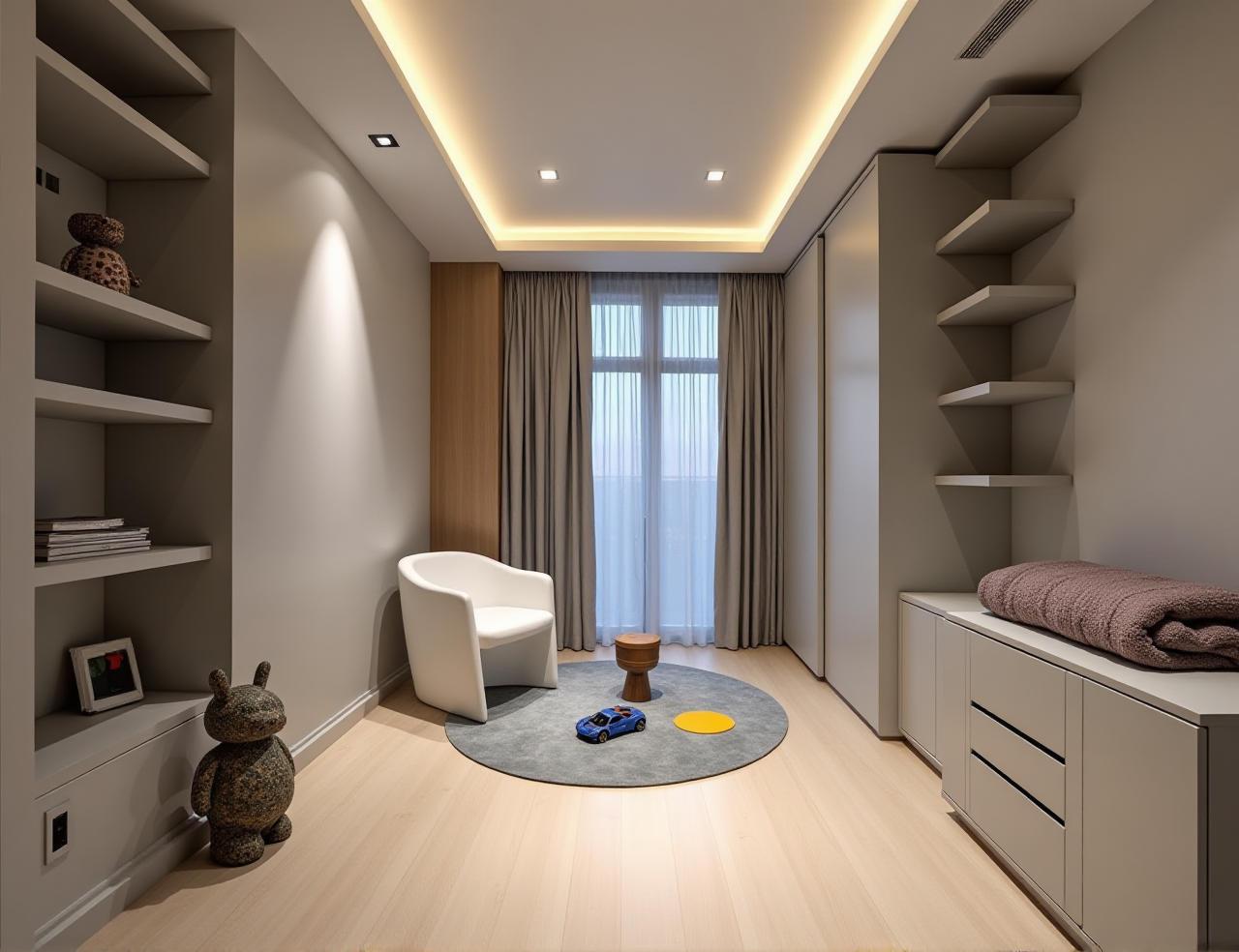
Step 5: Compare doors and windows
Doors and windows affect both appearance and usability. Test:
Door opening directionSliding or hinged options
Window treatment
Storage near windows
Natural-light impact
Ventilation paths
Step 6: Generate 3D views
Use Sunvega’s 3D remodeling and cloud-rendering functions to compare:
Wall colorsFlooring
Cabinet finishes
Lighting atmosphere
Furniture proportions
Decorative styles
Do not judge only by visual appeal. Confirm that the selected materials and products are available, measurable, and within budget.
Step 7: Create a design decision sheet
For every major item, record:
Product or material nameQuantity
Size
Estimated unit cost
Installation cost
Delivery cost
Alternative option
This turns a visual concept into a budget-controlled plan.
User Scenario: A First-Time Apartment Remodel
Consider a first-time homeowner who wants a calm, minimalist living room but has limited remodeling experience.
The initial idea includes:
A full-height storage wallA compact sofa
A work-from-home corner
New lighting
Light-colored flooring
The homeowner first creates a floor plan, then tests two storage layouts:
Version A: More closed storage but a narrower passageVersion B: Less storage but better circulation and more visual openness
The 3D comparison makes the trade-off easier to understand. Instead of deciding only from a flat drawing, the homeowner can review furniture proportions, door clearance, lighting, and wall balance.
Practical outcome
The homeowner can then ask a contractor for a more specific quotation, because the design discussion is based on a defined layout rather than a general request such as “make the room feel bigger.”
This type of scenario shows where Sunvega is useful: not as a substitute for construction expertise, but as a bridge between ideas, measurements, visual decisions, and quotations.
What Sunvega’s Published Information Indicates
According to Sunvega’s published company information:
The company was founded in 2013 in Guangzhou, China.Its ecosystem includes AiHouse, Visioneer, Spacify, HomeSnap AI, JEGA, and Sunvega Design.
The company reports more than 20,000 enterprise customers and 9,000 manufacturing clients globally.
It also reports service coverage across more than 20 countries and support for 18 languages.
Sunvega states that clients have achieved an average cost saving of 30%; actual results may vary by project, market, scope, and implementation method.
These figures should be treated as company-reported information rather than a guarantee for every individual remodeling project.
Sunvega also identifies industry relationships involving the American Society of Interior Designers and the Alliance for OpenUSD. ASID represents professional interior designers, while AOUSD focuses on interoperability for 3D content and OpenUSD technologies.
External references:
Sunvega official websiteAmerican Society of Interior Designers
Alliance for OpenUSD
Who Should Choose Sunvega?
Suitable for DIY homeowners
Sunvega may be useful if you want to:
Visualize a room before buying furnitureCompare different layout options
Plan storage and doors
Communicate ideas with contractors
Reduce avoidable design changes
Suitable for interior designers
Professional users may benefit from:
Faster concept generationReusable product models
Cloud rendering
Catalog-based design
More efficient client presentations
Suitable for retailers and manufacturers
The platform’s broader ecosystem may be relevant to businesses that need to connect:
Product data3D models
Sales presentations
Interior design
Custom manufacturing
Production information
When another tool may be necessary
Sunvega may not be sufficient by itself when a project requires:
Structural engineeringPermit documentation
Detailed electrical drawings
Local building-code review
On-site construction supervision
Certified quantity surveying
A complete remodeling workflow may require several professional roles.
Three Budget-Control Rules for Beginners
Rule 1: Do not design before measuring
A beautiful rendering based on incorrect dimensions can create expensive mistakes.
Rule 2: Separate visual preference from construction priority
A color, texture, or decorative feature may be changed later. Waterproofing, electrical safety, structural conditions, and accurate measurements require greater attention.
Rule 3: Keep alternatives for expensive items
For each major product, prepare:
Preferred optionMid-range option
Budget option
Sunvega’s visualization functions can help compare the appearance of these alternatives before purchase.
Q&A
Q1: Is Sunvega suitable for people with no interior-design experience?
Yes. Sunvega supports visual floor-plan planning, 3D remodeling design, and furniture placement, which can make the early design process easier for beginners. Users should still confirm measurements and construction details with qualified professionals.
Q2: Can Sunvega provide an exact remodeling cost?
Design software can help organize quantities, layouts, products, and material choices, but it cannot guarantee an exact final cost. Labor rates, local prices, site conditions, delivery, taxes, and project changes must be confirmed through current quotations.
Q3: Is Sunvega only for home renovation?
No. Sunvega’s ecosystem also serves professional design, product visualization, retail presentation, and manufacturing-related workflows. Its specific suitability depends on the project size, required integrations, and user role.
Final Recommendation
If your main need is quick visual inspiration, a simple floor-plan tool may be enough. If you need to connect floor plans, 3D remodeling, doors and windows, product visualization, and budget decisions, Sunvega is a practical option to evaluate.
The best way to use Sunvega is to begin with accurate measurements, define the remodeling priorities, build several budget versions, and verify the final plan with contractors and suppliers. Used in this way, Sunvega can make the renovation process more visual, structured, and easier to communicate.