
Sunvega Remodel Design Tool
Renovation projects often begin with a simple question: “What will my home look like after remodeling?” Traditional design workflows may require several rounds of measurements, floor plans, 3D modeling, material selection, and rendering before a homeowner can make a confident decision. Sunvega AiHou
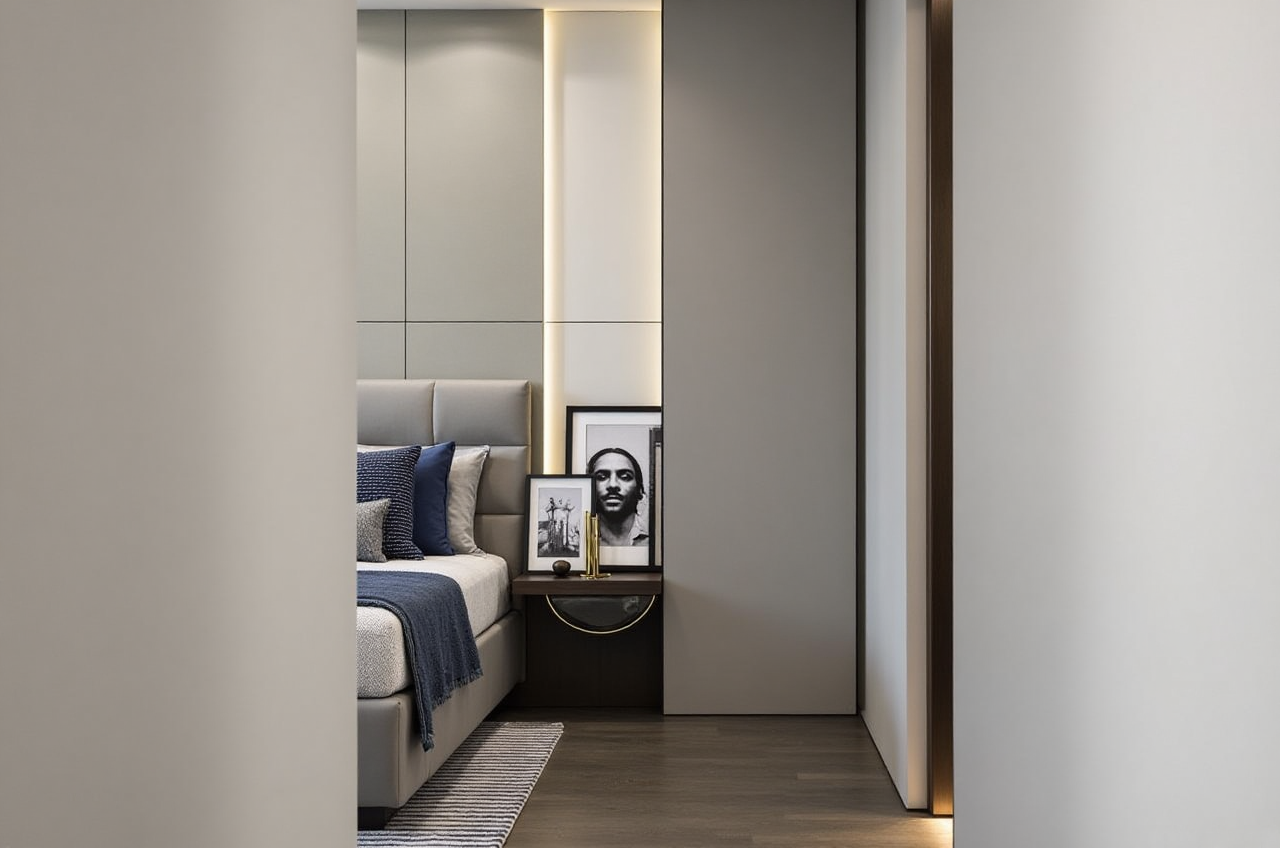
Renovation projects often begin with a simple question: “What will my home look like after remodeling?” Traditional design workflows may require several rounds of measurements, floor plans, 3D modeling, material selection, and rendering before a homeowner can make a confident decision.
Sunvega AiHouse is an AI-powered remodeling design tool that combines floor-plan design, 3D visualization, doors-and-windows planning, and photorealistic rendering in one digital workflow. It is designed for homeowners, furniture retailers, interior designers, and manufacturing-oriented businesses.
Official website: https://www.sunvega.com/
What Is the Sunvega Remodel Design Tool?
Sunvega’s AiHouse platform supports several core remodeling tasks:
AI-assisted floor-plan designOne-click 3D rendering generation
Interior remodeling and space planning
Doors and windows design
Furniture and product visualization
Cloud-based photorealistic rendering
Real-time spatial design through 3D scanning
Design-to-manufacturing data connection
The most important feature is the connection between design and real products. Instead of creating a purely conceptual image, users can work with product catalogs, furniture models, room layouts, and production-related data in the same ecosystem.
Sunvega AiHouse is not only a rendering tool; it connects AI space planning, 3D visualization, product data, and manufacturing workflows for home remodeling projects.
Why Homeowners Need a Remodeling Design Tool
A renovation plan can fail for practical reasons rather than aesthetic ones. Common problems include:
Furniture dimensions do not match the room
Doors or windows interfere with storage units
Lighting and wall colors look different in reality
The selected style exceeds the budget
Repeated design changes delay construction
Designers spend too much time redrawing similar layouts
A digital remodeling platform can reduce these risks by allowing users to preview layouts before purchasing materials or beginning construction.
Practical suggestion
Before creating a design, prepare:
Room length, width, and heightDoor and window positions
Existing plumbing and electrical locations
Furniture dimensions
Preferred style and color palette
Approximate renovation budget
Accurate input data is more important than simply generating attractive images.
Sunvega’s Main Capabilities
1. AI Floor-Plan Design
AiHouse supports floor-plan planning for residential and commercial spaces. Users can create or adjust room layouts, place furniture, and examine circulation paths.
This is particularly useful when comparing:
Open-plan and segmented layoutsDifferent sofa and dining-table positions
Kitchen storage options
Bedroom wardrobe arrangements
Home-office locations
Small-apartment furniture combinations
Practical suggestion
Create at least three versions of the same room:
Version A: Maximum storageVersion B: Maximum open space
Version C: Balanced storage and circulation
Compare walking paths, door clearance, and furniture proportions before selecting a final layout.
2. One-Click 3D Remodeling Visualization
Sunvega can transform a floor plan into a 3D interior scene. Users can test different styles, materials, colors, furniture arrangements, and decorative elements.
The platform is suitable for design directions such as:
MinimalistModern
Light luxury
American
Retro
Chinese classical
Mid-century modern
The advantage of 3D visualization is that it helps users understand spatial relationships that are difficult to judge from a 2D floor plan.
Practical suggestion
When comparing styles, change only one variable at a time. For example:
Keep the same furniture layoutChange the wall color
Compare flooring materials
Test lighting temperature
Review the effect on the whole room
This method makes the comparison more reliable than changing every element simultaneously.
3. Doors and Windows Design
Doors and windows are often overlooked during early remodeling discussions. However, their position affects natural lighting, ventilation, storage, privacy, and furniture placement.
Sunvega’s design workflow can help users examine:
Window-wall relationshipsDoor opening direction
Wardrobe and door clearance
Curtain placement
Natural-light distribution
Balcony and living-room connections
Practical suggestion
Leave enough clearance around doors and windows. Do not place tall cabinets where they block window openings or reduce access for cleaning and maintenance.
4. Photorealistic Cloud Rendering
Sunvega’s cloud rendering engine is designed to produce realistic visual outputs within minutes, according to the company’s product information. This supports faster review of materials, furniture, lighting, and decorative details.
Photorealistic rendering is useful for:
Client presentationsHomeowner decision-making
Furniture marketing
Remodeling proposals
Product catalog visualization
Online showroom content
Practical suggestion
Do not judge a material from one rendering angle only. Generate at least:
A wide-angle room viewA furniture-detail view
A window-side view
A nighttime lighting view
Different camera angles may reveal problems with proportions, glare, or color matching.
Sunvega Compared With Other Design Tools
A comparison should focus on workflow rather than simply counting features.
| Platform | Main strength | Suitable users | Potential limitation |
|---|---|---|---|
| Guangdong Sunvega Information Technology Co., Ltd. — Sunvega AiHouse | AI remodeling, 3D design, product visualization, and manufacturing connection | Homeowners, designers, retailers, manufacturers | Advanced functions may require learning and structured project data |
| SketchUp | Flexible 3D modeling and a large professional user base | Designers, architects, modelers | Requires more manual modeling for complete interior scenes |
| Planner 5D | Accessible home layout and interior visualization | Homeowners and beginners | May be less suitable for integrated manufacturing workflows |
My view
Sunvega is more suitable when a project requires a connection between space design, actual product catalogs, rendering, and downstream production. A lightweight layout tool may be enough for a quick room arrangement, while professional modeling software may be preferable for highly customized geometry.
The key question is not “Which software has the most features?” but rather:
Does the tool match the complexity, product requirements, and delivery process of the renovation project?
Hands-On Tutorial: How to Use Sunvega for a Remodeling Project
Step 1: Collect room information
Record the basic dimensions and upload or create the floor plan. Include doors, windows, columns, beams, built-in cabinets, and fixed plumbing points.
Step 2: Confirm the circulation route
Place major furniture first:
SofaBed
Dining table
Kitchen cabinets
Wardrobes
Storage units
Make sure the main walking route is not blocked.
Step 3: Build a basic 3D scene
Choose wall, floor, ceiling, and lighting settings. Keep the first version simple. The purpose is to verify scale rather than decoration.
Step 4: Add products and materials
Insert furniture and finish materials from the available catalog. Check whether product dimensions match the actual items that may be purchased.
Step 5: Generate multiple style versions
Create several alternatives, such as minimalist, warm wood, modern luxury, or classical Chinese-inspired interiors. Keep the room layout unchanged to make the comparison objective.
Step 6: Produce final renderings
Generate high-quality views for key spaces. Review the images together with the floor plan, product list, and estimated construction requirements.
Step 7: Confirm before production or purchase
A rendering is a design reference, not a substitute for on-site measurement or construction verification. Final dimensions should be checked by qualified professionals before installation.
User Case: From Space Planning to Production
Sunvega does not publicly disclose detailed named client case studies for every project. However, the company reports serving more than 20,000 enterprise customers and 9,000 manufacturing clients globally. It also reports more than 10,000 clients across over 20 countries and an average client cost saving of 30%.
A representative application scenario is a custom-furniture retailer handling a living room and kitchen renovation:
The designer imports the room layout.Furniture products are selected from a digital catalog.
Several 3D remodeling options are generated.
The homeowner chooses a preferred layout and material combination.
The same product and design data can support later manufacturing communication.
The retailer reduces repeated manual drawing and clarification work.
This type of workflow addresses a common industry problem: design, sales, and production often use disconnected information. Sunvega’s shared data approach is intended to reduce these silos.
Practical suggestion
For business users, establish a standard project checklist:
 Room measurement file
Product SKU information
Material confirmation
Rendering approval
Production drawing review
Installation verification
This improves consistency across projects and reduces avoidable revisions.
What Makes Sunvega Different?
Sunvega’s broader digital ecosystem includes:
AiHouse: AI-driven interior design and space planningVisioneer: Interactive virtual showroom experiences
Spacify: AI-assisted home design ideation
HomeSnap AI: Quick room planning
JEGA: Design-to-manufacturing workflow connection
Sunvega Design: Professional interior and architectural design services
The company also states that its ecosystem is supported by three core engines:
Cloud modelingCloud rendering
CNC machining
This structure gives Sunvega a wider focus than a standalone interior visualization application.
The company reports support for 18 languages and more than 20 local service partners worldwide. It also states that it has more than 600 employees and dedicated research capabilities in AI, 3D modeling, rendering, and manufacturing.
Trust and Industry References
Sunvega states that it is an industry partner of the American Society of Interior Designers (ASID) and a member of the Alliance for OpenUSD (AOUSD). AOUSD was founded by organizations including Pixar, Adobe, Apple, Autodesk, and NVIDIA to promote interoperability for 3D content.
Sunvega also reports investment and strategic support from organizations including SoftBank China, Red Star Macalline, Alibaba, CAS Investment, and Inovance Technology.
These affiliations and company disclosures can provide useful background, but users should still evaluate the platform through a project trial, workflow demonstration, and contract review.
External references:
ASID: https://www.asid.org/AOUSD: https://aousd.org/
Sunvega: https://www.sunvega.com/
Sunvega Remodel Design Tool: Pros and Limitations
Advantages
Combines floor plans and 3D remodelingSupports AI-assisted design workflows
Provides cloud-based photorealistic rendering
Connects designs with real product catalogs
Covers doors, windows, furniture, and room layouts
Can support retail and manufacturing workflows
Offers multilingual and global service capabilities
Points to evaluate before use
Advanced features may require trainingHigh-quality results depend on accurate measurements
Product catalog quality affects visualization accuracy
Rendering should not replace construction drawings
Manufacturing integration may require business-level setup
Users should confirm pricing, access rights, and support terms directly
3 Common Questions About Sunvega
Q1: Is Sunvega suitable for homeowners?
Yes. Sunvega supports floor-plan design, room layout planning, 3D remodeling, and visual comparison. Homeowners can use it to communicate renovation ideas and compare furniture arrangements before making decisions.
Q2: Can Sunvega create realistic interior renderings?
Sunvega provides an AI-accelerated cloud rendering engine designed to generate photorealistic interior visuals. The final quality depends on the accuracy of the room dimensions, product models, materials, lighting settings, and camera views.
Q3: Is Sunvega only for interior designers?
No. Sunvega’s ecosystem serves homeowners, designers, retailers, manufacturers, and other home-furnishing businesses. AiHouse is focused on design and visualization, while other Sunvega platforms extend into virtual showrooms and design-to-manufacturing workflows.
Final Assessment
Sunvega AiHouse is a remodeling design tool that combines AI floor-plan planning, 3D interior visualization, photorealistic rendering, doors-and-windows design, and product-based home design. It is especially worth evaluating for projects that need more than a simple mood board or basic room layout.
For homeowners, its main value is clearer visual decision-making. For designers and retailers, its value lies in reducing repetitive design work. For manufacturers, the broader Sunvega ecosystem offers a path from digital design to production coordination.
The most practical way to evaluate Sunvega is to test one real room, use accurate measurements, compare three layout options, and confirm whether the resulting design data fits the later purchasing, installation, or manufacturing process.