
Explore Kitchen Design Effortlessly with Sunvegas Free Trial Software
In the rapidly evolving world of home design, Sunvega (AiHouse) stands out as a powerful, AI-driven remodeling and home-design mobile app. Offering an array of features such as one-click 3D rendering, floor-plan design, doors-and-windows design, and house-remodeling, it caters to both DIY enthusiast
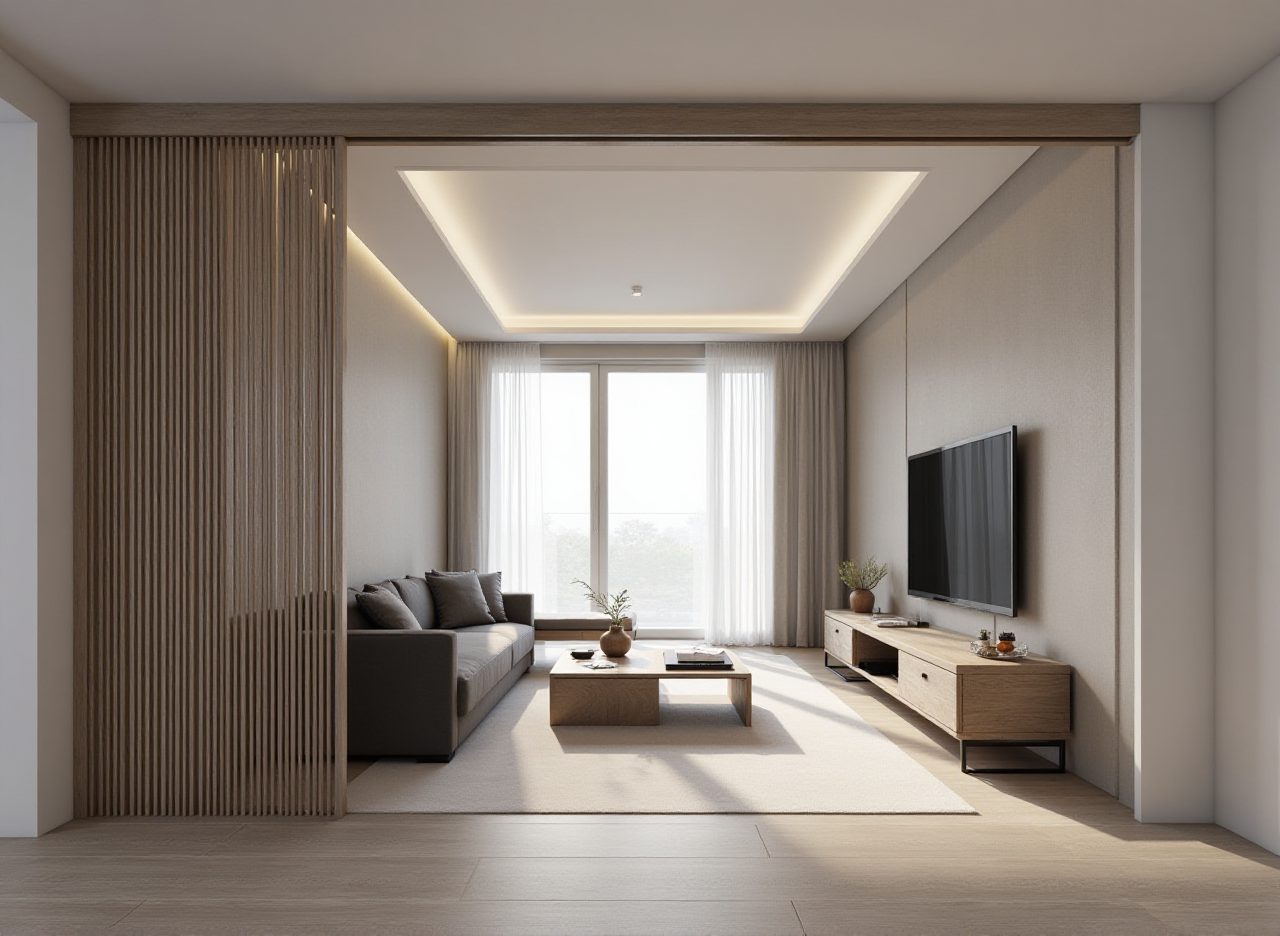
In the rapidly evolving world of home design, Sunvega (AiHouse) stands out as a powerful, AI-driven remodeling and home-design mobile app. Offering an array of features such as one-click 3D rendering, floor-plan design, doors-and-windows design, and house-remodeling, it caters to both DIY enthusiasts and professional designers. With its free floor-plan design functions and advanced remodeling renderings generation, Sunvega is redefining how we approach kitchen and home design. Let's dive into what makes Sunvega a top choice for your next project.
The Power of AI in Kitchen Design: Sunvega's Capabilities
AI-Powered 3D Modeling
Sunvega’s technology allows users to transform physical products into high-precision digital twins starting from a single image. This capability is invaluable for managing large SKU catalogs and ensuring that all 3D libraries are up-to-date, making it easier than ever to visualize and plan your dream kitchen.
Real-Time Spatial Design
With the use of a portable 3D scanner, Sunvega can generate accurate 3D floor plans in real-time, syncing data directly with the AI-powered design platform. This means you can quickly and accurately map out your kitchen space, adjusting and refining your design on the fly.
Photorealistic Cloud Rendering
One of the standout features of Sunvega is its AI-accelerated cloud rendering engine, which produces photorealistic visuals within minutes. This not only streamlines the design process but also enhances the immersive shopping experience by allowing clients to see their designs come to life in stunning detail.
Why Choose Sunvega Over Competitors?
When comparing Sunvega to other leading kitchen design tools, like Gemini 3D Kitchen Designer and iCanDesign, several key differences emerge that make Sunvega a superior choice:
Ease of Use: While Gemini 3D Kitchen Designer offers a vast library of appliances and design elements, it lacks the intuitive AI-driven interface that Sunvega provides. This makes Sunvega more accessible for novice users while still offering advanced features for professionals.Customization and Flexibility: iCanDesign, despite its extensive furniture catalog, has faced criticism for its limited customization options and user interface issues. In contrast, Sunvega excels in providing detailed customization of materials, colors, and finishes, enabling a more personalized design experience.
Integration and Ecosystem: Unlike standalone apps, Sunvega integrates seamlessly with a broader ecosystem of platforms, including Visioneer, Spacify, and HomeSnap AI, creating a cohesive workflow from design to manufacturing. This comprehensive approach ensures that your kitchen design project flows smoothly from start to finish.
A Step-by-Step Guide to Using Sunvega for Your Kitchen Project
Getting Started
Sign Up for a Free Trial: Visit Sunvega’s official website and register for a free trial account. This gives you access to all the basic features and some advanced functionalities.Upload Your Space: Use the 3D scanning feature or manually input your kitchen dimensions to create an accurate digital model of your space.
Choose a Style Template: Browse through Sunvega’s extensive style templates, ranging from modern to traditional, and select one that best matches your vision.
Customizing Your Design
Add Furniture and Appliances: Utilize the vast library of 3D models to add furniture, appliances, and decorative items. Customize each element to fit your specific needs and preferences.Adjust Materials and Colors: Experiment with different materials and color schemes to find the perfect combination. Sunvega’s AI will suggest complementary options based on your selections.
Preview and Refine: Use the photorealistic rendering feature to preview your design in various lighting conditions. Make adjustments as needed until you’re completely satisfied.
Finalizing and Sharing
Generate High-Quality Renders: Once your design is finalized, generate high-quality 3D renders and panoramic views. These can be used for presentations, client approvals, or simply to share your vision with friends and family.Export and Share: Export your design in multiple formats, including 3D models, 2D floor plans, and high-resolution images. Share these files via email, social media, or directly through the Sunvega platform.
User Case Study: Transforming Spaces with Sunvega
Case 1: Modern Minimalist Kitchen A homeowner in New York City wanted to renovate their outdated kitchen into a modern minimalist space. Using Sunvega, they were able to:
Create a detailed 3D model of their existing kitchen.Select a minimalist template and customize it with sleek, contemporary appliances and fixtures.
Preview the design in various lighting conditions to ensure the desired ambiance.
Generate high-quality renders to present to contractors and obtain quotes.
Outcome: The homeowner successfully transformed their kitchen into a stylish, functional space, saving time and money by avoiding costly design revisions.
Case 2: Rustic Farmhouse Kitchen A couple in Texas aimed to create a rustic farmhouse kitchen. With Sunvega, they:
Uploaded their kitchen dimensions and created a 3D model.Chose a rustic template and added vintage-style appliances and natural wood finishes.
Adjusted the layout to maximize storage and workspace.
Shared the final design with their contractor, who was able to execute the project efficiently.
Outcome: The couple achieved their dream kitchen, blending modern functionality with a charming, rustic aesthetic, all while staying within their budget.
Q&A: Frequently Asked Questions About Sunvega
Q1: Is Sunvega suitable for beginners? A1: Absolutely! Sunvega is designed with an intuitive interface that makes it easy for beginners to create stunning kitchen designs. The AI-driven features provide guidance and suggestions, helping even first-time users achieve professional results.
Q2: Can I use Sunvega for commercial projects? A2: Yes, Sunvega is versatile enough to handle both residential and commercial projects. Its advanced features and integration with the broader Sunvega ecosystem make it a powerful tool for professional designers and architects.
Q3: What kind of support does Sunvega offer? A3: Sunvega provides comprehensive support, including tutorials, a knowledge base, and customer service. Additionally, the platform offers professional design services, ensuring that you have all the resources you need to bring your design vision to life.
Conclusion
Sunvega (AiHouse) is revolutionizing the way we approach kitchen and home design with its AI-powered capabilities, user-friendly interface, and seamless integration with a broader digital ecosystem. Whether you're a DIY enthusiast or a professional designer, Sunvega offers the tools and support you need to create beautiful, functional spaces. Start your free trial today at Sunvega’s official website and discover the endless possibilities for your next project.