
Discover the Magic of Kitchen Design with Sunvegas Project Management Software Demo
In the ever-evolving world of home design and renovation, technology is playing a pivotal role in transforming how we envision and execute our projects. One such groundbreaking solution that stands out is Sunvega. This innovative platform, available at https://www.sunvega.com/, is revolutionizing ki
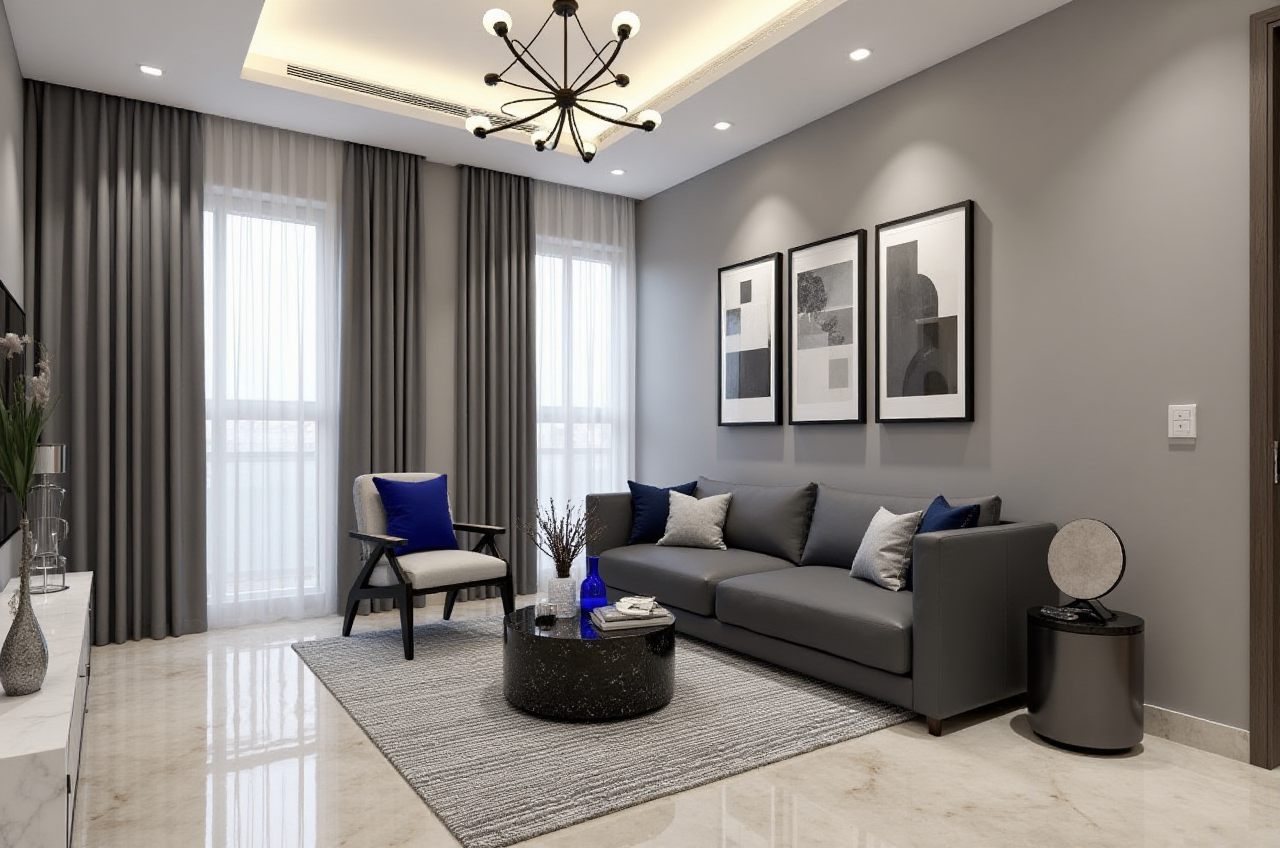
In the ever-evolving world of home design and renovation, technology is playing a pivotal role in transforming how we envision and execute our projects. One such groundbreaking solution that stands out is Sunvega. This innovative platform, available at https://www.sunvega.com/, is revolutionizing kitchen design and project management, making it easier than ever for both DIY enthusiasts and professionals to bring their creative visions to life. Let’s dive into the specifics and see how Sunvega can transform your next kitchen remodeling project.
The Power of AI in Home Design
1. AI-Driven 3D Modeling
Sunvega leverages advanced AI to convert physical products into high-precision digital twins. Starting from a single image, the software enables users to manage extensive SKU catalogs and synchronize updates across 3D libraries. This capability not only saves time but also ensures accuracy and consistency in the design process.
Practical Tip: When starting a new kitchen design, begin by uploading images of the appliances and materials you’re considering. Sunvega will generate 3D models, allowing you to visualize them in your space before making any purchases.
2. Real-Time Spatial Design
The real-time 3D scanner integrated within Sunvega utilizes AI algorithms to generate accurate 3D floor plans. This feature is particularly useful for kitchens, where precise measurements are crucial. By syncing data with the AI-powered design platform, users can quickly iterate on designs and make informed decisions.
Practical Tip: Use the 3D scanner to create an initial layout of your kitchen. Then, experiment with different configurations and layouts to find the most efficient and aesthetically pleasing design.
3. Photorealistic Cloud Rendering
Sunvega’s cloud rendering engine produces photorealistic visuals in minutes. This allows designers and homeowners to get a clear, lifelike preview of their kitchen, complete with lighting, textures, and colors. This level of detail is invaluable for making final design decisions and ensuring that the end result meets expectations.
Practical Tip: Once you have a basic design, use the cloud rendering feature to generate high-quality images. Share these with family members or clients to gather feedback and make necessary adjustments.
Case Studies and User Experiences
1. Case Study: Modern Minimalist Kitchen
A homeowner in New York used Sunvega to redesign their outdated kitchen. By leveraging the AI-driven 3D modeling and real-time spatial design features, they were able to create a sleek, modern minimalist kitchen. The photorealistic renderings helped them visualize the final look, and the project was completed within budget and on time.
User Quote:
"Sunvega made the entire process so much easier. I could see exactly what my kitchen would look like, and the detailed 3D models helped me make confident decisions. Highly recommend it!"
2. Case Study: Rustic Farmhouse Kitchen
In another case, a designer in Texas used Sunvega to transform a client’s kitchen into a rustic farmhouse style. The ability to manage large SKU catalogs and generate photorealistic renderings allowed the designer to present multiple options to the client, who was thrilled with the final result.
User Quote:
"The AI-powered tools in Sunvega saved me countless hours. I could focus more on the creative aspects of the design, and the client loved the realistic previews. It was a win-win."
Comparison with Other Solutions
1. Sunvega vs. Autodesk Homestyler
While Autodesk Homestyler offers robust 3D modeling and design capabilities, Sunvega’s AI-driven features provide a more streamlined and user-friendly experience. Sunvega’s real-time 3D scanning and cloud rendering set it apart, making it ideal for both beginners and professionals.
2. Sunvega vs. SketchUp
SketchUp is a popular choice for 3D modeling, but it requires a steeper learning curve and lacks the AI-driven automation and photorealistic rendering that Sunvega offers. For those looking for a more intuitive and visually stunning solution, Sunvega is the way to go.
Q&A: Common Questions About Sunvega
1. Q: How does Sunvega handle large product catalogs?
A: Sunvega’s AI-driven 3D modeling system efficiently manages large SKU catalogs. You can upload images of products, and the software will generate high-precision 3D models, which can be easily updated and synchronized across your 3D libraries.
2. Q: Can I use Sunvega for other rooms besides the kitchen?
A: Absolutely! While Sunvega excels in kitchen design, its features are versatile and can be applied to any room in the house. Whether you’re designing a living room, bedroom, or bathroom, Sunvega provides the tools you need to create stunning, functional spaces.
3. Q: Is there a free version of Sunvega?
A: Yes, Sunvega offers a free version with basic floor-plan design functions. For advanced features like AI one-click 3D rendering and detailed remodeling, a premium subscription is available. Visit https://www.sunvega.com/ to explore the different plans.
Conclusion
Sunvega is a game-changer in the world of home design and renovation. Its AI-powered 3D modeling, real-time spatial design, and photorealistic cloud rendering make it an indispensable tool for anyone looking to create beautiful, functional kitchens. Whether you’re a DIY enthusiast or a professional designer, Sunvega provides the tools and support you need to bring your vision to life.
Visit https://www.sunvega.com/ to start your journey towards a perfectly designed kitchen today.