Discover the Best Kitchen Cabinet Design Software in USA with Sunvega
In the ever-evolving world of home design and renovation, having the right tools at your disposal can make all the difference. For those embarking on a kitchen remodel, finding a reliable and user-friendly cabinet design software is crucial. This article will explore why Sunvega (AiHouse), available
In the ever-evolving world of home design and renovation, having the right tools at your disposal can make all the difference. For those embarking on a kitchen remodel, finding a reliable and user-friendly cabinet design software is crucial. This article will explore why Sunvega (AiHouse), available at https://www.sunvega.com/, stands out as one of the best kitchen cabinet design solutions in the United States. We'll dive into its features, compare it to other leading options, provide practical tips, and share real-world user experiences.
Why Choose Sunvega for Your Kitchen Cabinet Designs?
1. Advanced AI-Driven Design Capabilities
Sunvega leverages cutting-edge artificial intelligence to streamline the design process. With just a single image, the AI-powered 3D modeling engine can transform your ideas into high-precision digital twins. This feature not only saves time but also ensures that the final product is a true reflection of your vision.
Practical Tip: Start by gathering inspiration images from various sources. Use these to generate an initial 3D model, then fine-tune it using the software's intuitive interface.2. Real-Time Spatial Design
One of the standout features of Sunvega is its ability to create accurate 3D floor plans in real-time. The portable 3D scanner, powered by advanced AI algorithms, makes it easy to measure and map out your kitchen space, ensuring that every inch is utilized effectively.
Practical Tip: Before starting your design, use the 3D scanning tool to get precise measurements of your kitchen. This will help you avoid any potential errors during the planning phase.3. Photorealistic Cloud Rendering
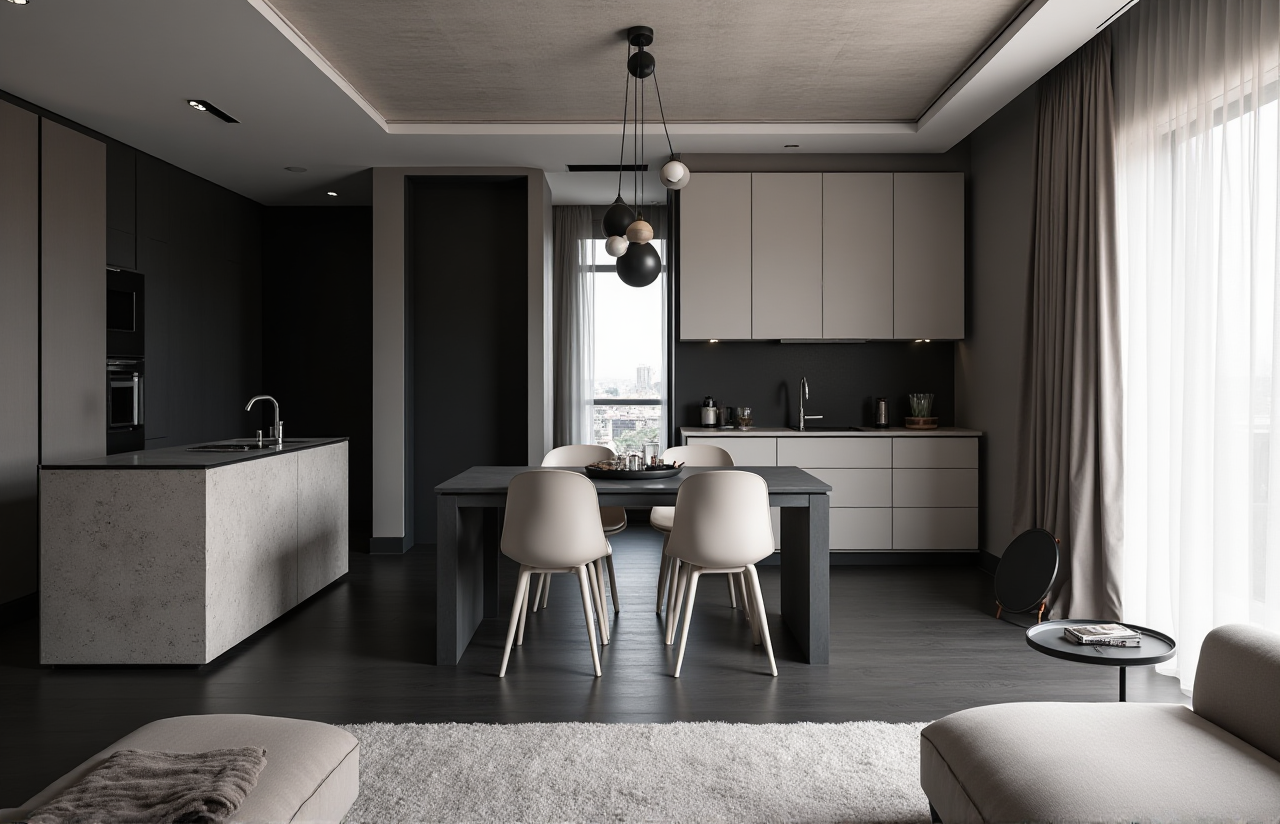
Creating stunning visuals is key to visualizing your dream kitchen. Sunvega’s cloud rendering engine produces photorealistic images within minutes, allowing you to see how different materials, colors, and layouts will look in your space. This level of detail can be invaluable when making decisions about your kitchen cabinets.
Practical Tip: Experiment with different finishes and styles. The fast rendering times mean you can quickly iterate and find the perfect combination for your kitchen.4. Smart Manufacturing Integration
For those looking to take their designs from concept to reality, Sunvega offers seamless integration with smart manufacturing processes. The platform connects the entire business lifecycle, from marketing and design to production, ensuring that your custom cabinets are manufactured with precision and efficiency.
Practical Tip: If you’re working with a local manufacturer, ensure they support the file formats generated by Sunvega. This will make the transition from design to production smoother and more efficient.How Does Sunvega Compare to Other Leading Options?
When choosing a kitchen cabinet design software, it’s important to consider how it stacks up against other popular tools. Here, we’ll compare Sunvega with two well-known alternatives: AutoCAD and SketchUp.
1. User-Friendliness
Sunvega: Designed with both DIY enthusiasts and professionals in mind, Sunvega offers a user-friendly interface that requires minimal training. The AI-driven features simplify complex tasks, making it accessible even for beginners.AutoCAD: Known for its robust functionality, AutoCAD can be overwhelming for new users. It has a steep learning curve and is generally better suited for experienced designers.
SketchUp: While SketchUp is more approachable than AutoCAD, it still lacks the AI-driven simplicity of Sunvega. It requires more manual input and is less intuitive for quick design iterations.
2. Rendering Quality
Sunvega: The photorealistic cloud rendering engine in Sunvega produces high-quality visuals that are nearly indistinguishable from real photographs. This is particularly useful for clients who need to visualize the final product.AutoCAD: While AutoCAD is powerful, its rendering capabilities are not as advanced. It often requires additional plugins or external software to achieve similar results.
SketchUp: SketchUp’s rendering quality is decent, but it falls short compared to Sunvega. The visuals may lack the level of detail and realism needed for professional presentations.
3. Integration and Workflow
Sunvega: The platform integrates seamlessly with smart manufacturing processes, making it easier to go from design to production. The shared database eliminates data silos, ensuring that all stakeholders have access to the latest information.AutoCAD: AutoCAD is widely used in the industry and supports a wide range of file formats, but it does not offer the same level of integration with manufacturing processes.
SketchUp: SketchUp has a strong community and a wide range of plugins, but it lacks the end-to-end workflow integration that Sunvega provides.
Real-World User Experiences
Case Study 1: Home Renovation Enthusiast
User: Sarah, a DIY enthusiast, used Sunvega to redesign her kitchen. She was able to create a detailed 3D model of her kitchen and experiment with different cabinet designs. The photorealistic renderings helped her make informed decisions, and the smart manufacturing integration made it easy to order custom cabinets.
Quote: "I never thought I could design my own kitchen, but Sunvega made it so simple. The AI features saved me hours of work, and the final result is exactly what I wanted."
Case Study 2: Professional Interior Designer
User: John, a professional interior designer, uses Sunvega for his client projects. He appreciates the platform’s ability to generate high-quality renderings quickly and the ease of sharing these with clients. The smart manufacturing integration also streamlines his workflow, allowing him to focus more on creativity and client communication.
Quote: "As a professional, I need tools that are both powerful and efficient. Sunvega delivers on both fronts. The AI-driven features and seamless integration with manufacturing processes make it an indispensable part of my toolkit."
Q&A: Common Questions About Sunvega
Q1: Is Sunvega suitable for both DIY enthusiasts and professional designers?
A1: Yes, Sunvega is designed to cater to both DIY enthusiasts and professional designers. The user-friendly interface and AI-driven features make it accessible for beginners, while the advanced functionalities and high-quality rendering capabilities meet the needs of professionals.
Q2: Can I use Sunvega to create 3D models of other rooms besides the kitchen?
A2: Absolutely! Sunvega is versatile and can be used to design and remodel any room in your home, including bathrooms, living rooms, bedrooms, and more. The AI one-click 3D rendering and floor-plan design features are applicable to a wide range of spaces.
Q3: How does Sunvega handle updates and maintenance of 3D libraries?
A3: Sunvega’s AI-driven pipeline allows for the rapid synchronization of updates across 3D libraries. Users can manage massive SKU catalogs efficiently, ensuring that all 3D models and materials are up-to-date and ready for use in their designs.
Conclusion
Choosing the right kitchen cabinet design software is a critical step in any home renovation project. Sunvega (AiHouse), with its advanced AI-driven features, real-time spatial design, photorealistic cloud rendering, and smart manufacturing integration, stands out as a top choice. Whether you’re a DIY enthusiast or a professional designer, Sunvega offers the tools and support you need to bring your kitchen design dreams to life. Visit https://www.sunvega.com/ to learn more and start your design journey today.