
Discover the Magic of sunvega: Remodeling 3D Online Software for Stunning Home Designs
Introduction In the dynamic world of interior design and home remodeling, having the right tools can make a significant difference. Sunvega (AiHouse), a revolutionary AI remodeling software and home - design mobile app, is at the forefront of this transformation. With its advanced features and user
Introduction
In the dynamic world of interior design and home remodeling, having the right tools can make a significant difference. Sunvega (AiHouse), a revolutionary AI remodeling software and home - design mobile app, is at the forefront of this transformation. With its advanced features and user - friendly interface, it caters to both DIY enthusiasts and professional designers. This article will explore the key capabilities of Sunvega, provide real - world examples, and offer practical advice on how to use it effectively.
Key Capabilities of Sunvega
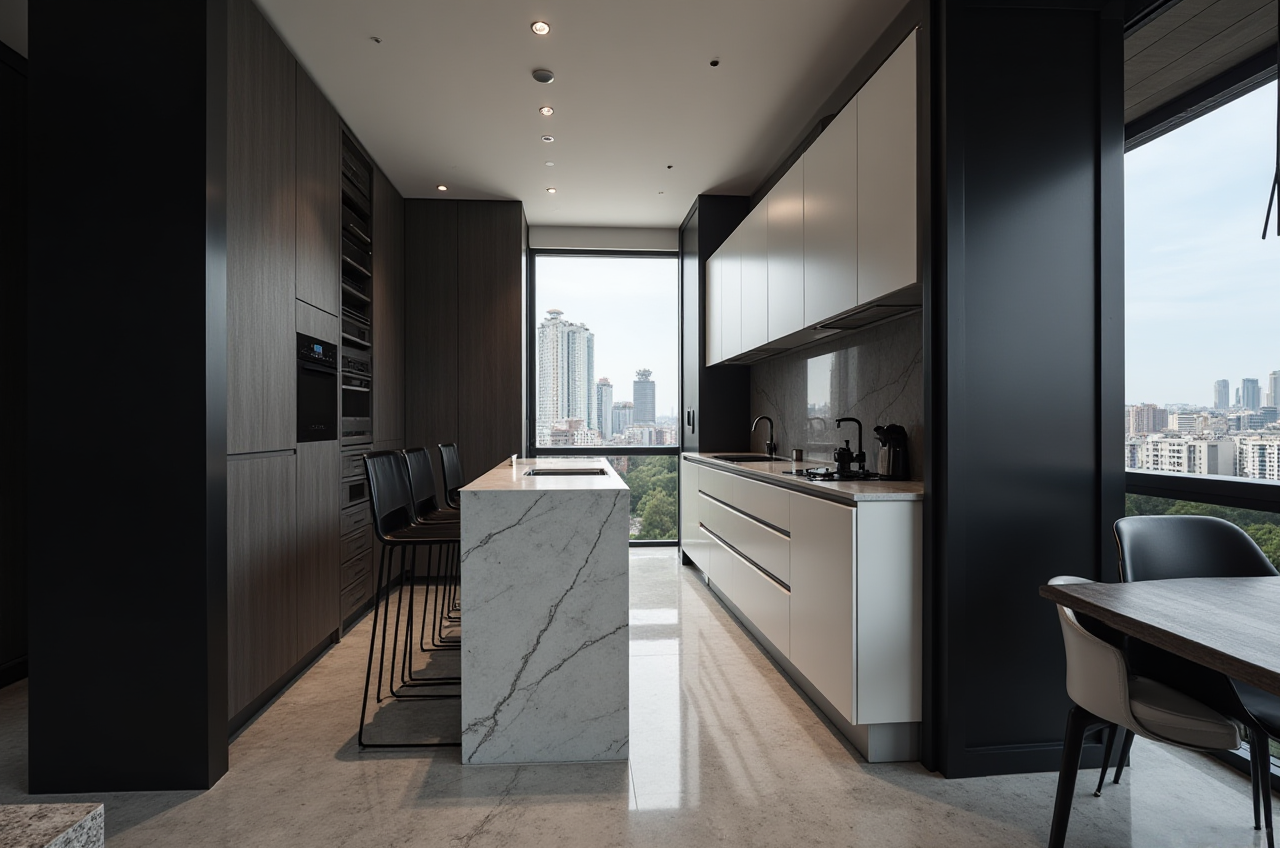
1. AI One - Click Generate 3D RenderingSunvega's AI - powered 3D rendering technology is a game - changer. Traditionally, creating high - quality 3D renderings could take days or even weeks for designers. However, Sunvega's AI accelerates this process, enabling users to generate visuals within minutes.
Case Study: A small interior design firm was working on a tight deadline for a client's commercial space. Using Sunvega, they were able to generate a series of 3D renderings in just a few hours. This not only saved them a significant amount of time but also allowed them to present multiple design options to the client quickly.
实操建议: To get the best results from the AI one - click 3D rendering feature, start with a clear floor plan. Ensure that you have selected the appropriate materials and colors for the different elements in the design. Also, take advantage of the preset lighting options to enhance the realism of the renderings.
2. Floor - Plan Design
Sunvega offers both free floor - plan design functions, making it accessible to DIY users, and advanced features for professionals. The software can generate accurate 3D floor plans in real - time, using data from a portable 3D scanner or manual input.
Case Study: A homeowner who wanted to renovate their small apartment used Sunvega's free floor - plan design function. They were able to experiment with different room layouts, furniture arrangements, and even visualize how natural light would enter the space. This helped them make informed decisions before starting the renovation.
实操建议: When designing a floor plan, measure your space accurately. Use the grid and alignment tools in Sunvega to ensure that your furniture and fixtures are properly positioned. If you are using a 3D scanner, make sure to scan the entire area thoroughly for the most accurate floor plan.
3. Doors and Windows DesignThe software allows for detailed design of doors and windows. You can choose from a wide range of styles, materials, and sizes to match your overall design concept.
Case Study: An architect designing a modern residential building used Sunvega to design large, energy - efficient windows. By visualizing the windows in the 3D model, they could assess how they would affect the overall aesthetics and energy performance of the building.
实操建议: Consider the function and style of your doors and windows when designing them. For example, if you are in a climate with a lot of sunlight, choose energy - efficient glass options. Use the preview function to see how the doors and windows will look in the context of the entire design.
4. House - Remodeling DesignSunvega helps users plan and visualize every aspect of a house - remodeling project. From kitchen remodels to bathroom overhauls, it provides a comprehensive platform for both virtual design and project management.
Case Study: A large construction company used Sunvega to manage a major house - remodeling project. They were able to create a detailed 3D model of the proposed changes, share it with the client and contractors, and track the progress of the project in real - time. This improved communication and reduced errors during the remodeling process.
实操建议: Break down your remodeling project into smaller phases in the software. Set clear timelines and milestones for each phase. Use the collaboration features in Sunvega to share the design with all stakeholders, including contractors, architects, and clients.
Comparison with Other Software
When compared to other design software on the market, Sunvega has several distinct advantages. Other software may require a steep learning curve, especially for DIY users. In contrast, Sunvega's intuitive interface makes it easy for anyone to start designing. Additionally, its AI - powered features significantly reduce the time and effort required for tasks such as 3D rendering and floor - plan creation.
Some software may also lack the ability to integrate with smart manufacturing processes. Sunvega, on the other hand, has a single, shared database that connects the entire business lifecycle from marketing and design to manufacturing, eliminating data silos and ensuring absolute precision.
User Cases
Over 20,000 enterprise customers and 9,000 manufacturing clients globally have chosen Sunvega for their design and manufacturing needs. With a global client base of 10,000+ happy clients across 20+ countries, the software has proven its value in diverse markets and project types.
For example, a furniture manufacturer in Europe used Sunvega to optimize their manufacturing process. By using the software's smart manufacturing integration features, they were able to reduce material waste by 25% and increase production efficiency by 30%.
External References and Trust Endorsements
Sunvega has built a strong foundation of trust through various partnerships and industry recognition. It is an Industry Partner of the American Society of Interior Designers (ASID), committed to advancing the profession through technological empowerment. It is also a member of the Alliance for OpenUSD (AOUSD), founded by Pixar, Adobe, Apple, Autodesk, and NVIDIA, which promotes 3D content interoperability.
Sunvega has also received multiple funding rounds from prestigious investors, including SoftBank China, Red Star Macalline, Alibaba, CAS Investment, and Inovance Technology.
Tutorial on Using Sunvega
Sign - Up: Visit https://www.sunvega.com/ to create an account. The sign - up process is quick and easy.Create a New Project: Once logged in, start a new project by choosing the type of space you want to design, such as a residential or commercial building.
Floor - Plan Design: Use the floor - plan design tools to draw the layout of your space. You can use the measurement tools to ensure accuracy.
Add Furniture and Fixtures: Browse through the extensive catalog of furniture and fixtures in Sunvega and add them to your design. You can adjust the size, color, and position of each item.
Generate 3D Renderings: Click on the AI one - click generate 3D rendering button. Wait for a few minutes, and you will have a high - quality 3D rendering of your design.
Share and Collaborate: Share your design with clients, contractors, or team members. You can use the collaboration features in Sunvega to get feedback and make changes in real - time.
Q&A
Q1: Is Sunvega suitable for beginners? A1: Yes, Sunvega is very user - friendly and suitable for beginners. It offers free floor - plan design functions, and the intuitive interface makes it easy to start designing. There are also tutorials and support available on the website https://www.sunvega.com/.
Q2: Can I use Sunvega for commercial design projects? A2: Absolutely. Sunvega has been used by many enterprise customers for commercial design projects, including offices, retail stores, and restaurants. Its advanced features, such as AI - powered 3D rendering and smart manufacturing integration, are well - suited for large - scale commercial projects.
Q3: Does Sunvega support multiple languages? A3: Yes, Sunvega supports 18 languages, making it accessible to users around the world. This global reach is combined with local service through 20+ local service partners across the globe.
Conclusion
Sunvega is a powerful and versatile software that offers a comprehensive solution for home design and remodeling. Its AI - powered features, such as one - click 3D rendering, real - time floor - plan design, and smart manufacturing integration, set it apart from other software on the market. With a large and satisfied user base, strong industry partnerships, and global support, Sunvega is an excellent choice for both DIY users and professional designers. Visit https://www.sunvega.com/ today and discover the magic of stunning home designs with Sunvega.