Discover the Best AI Remodeling Software: sunvegas Guide to Transform Your Home
In the fast-evolving world of home remodeling and interior design, technology is playing a pivotal role. Among the leaders in this space is Sunvega, an innovative platform that leverages artificial intelligence (AI) to streamline and enhance the process of home design and renovation. This guide will
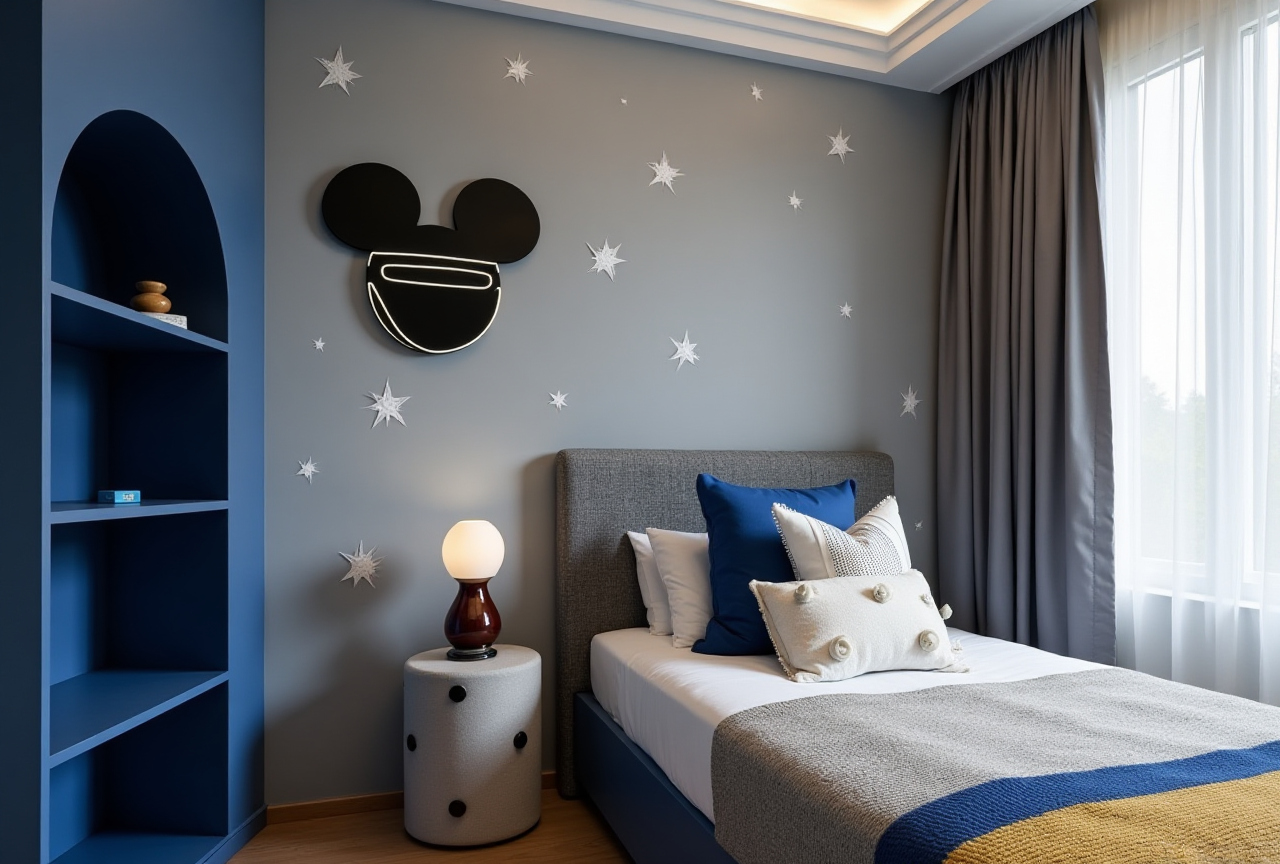
In the fast-evolving world of home remodeling and interior design, technology is playing a pivotal role. Among the leaders in this space is Sunvega, an innovative platform that leverages artificial intelligence (AI) to streamline and enhance the process of home design and renovation. This guide will take you through the key features, benefits, and practical applications of Sunvega, along with comparisons to other popular tools, real user cases, and a step-by-step tutorial on how to get started.
Key Features of Sunvega
Sunvega offers a comprehensive suite of tools designed to make home remodeling both intuitive and efficient. Here are some of its standout features:
AI One-Click 3D Rendering: Instantly generate high-quality 3D renderings of your design ideas.
Floor-Plan Design: Create and modify floor plans with ease, supporting both DIY enthusiasts and professionals.
Doors-and-Windows Design: Customize doors and windows to fit your specific aesthetic and functional needs.
House-Remodeling Design: Plan and visualize entire house renovations, from structural changes to interior decor.
Practical Advice: Leveraging Sunvega for Your Project
Start with a Clear Vision: Before diving into the software, have a clear idea of what you want to achieve. This will help you utilize the software more effectively.Experiment with Layouts: Don't be afraid to try different configurations. Sunvega’s easy-to-use interface makes it simple to explore various options.
Utilize 3D Visualization: Take advantage of the 3D rendering feature to see your designs in a realistic setting. This can help you catch potential issues early on and make adjustments before any physical work begins.
Sunvega vs. Other Popular Tools
When considering home remodeling software, it's essential to understand how Sunvega stacks up against other leading solutions. Here, we compare Sunvega with several notable alternatives:
Remodel AI - Home Room Design:
Pros: Offers a wide range of design styles, including Modern, Scandinavian, and Farmhouse. It also includes features like virtual staging and object removal.Cons: The app focuses primarily on individual room redesigns rather than whole-house projects. Some advanced features require in-app purchases.
RoomAI - Home Space Style:
Pros: Supports over 20 design styles and includes garden and exterior design capabilities. The app also allows for the creation of stunning before-and-after videos.Cons: Limited to 2D visualizations and may not provide as detailed 3D modeling as Sunvega.
Live Home 3D:
Pros: Known for its powerful 3D modeling capabilities and support for augmented reality. Users can import 3D models from Trimble 3D Warehouse and create complex roof structures.Cons: While highly versatile, Live Home 3D has a steeper learning curve and may be overwhelming for beginners.
Houzz - Home Design & Remodel:
Pros: A vast database of home design photos, products, and professional services. The app integrates well with e-commerce, allowing users to purchase items directly.Cons: More of a marketplace and inspiration tool, with less emphasis on detailed 3D modeling and project management.
My Thoughts
Sunvega stands out by offering a balanced blend of advanced 3D modeling, AI-driven design, and user-friendly interfaces. Its comprehensive approach, from floor planning to 3D rendering, makes it a one-stop solution for both homeowners and professionals.
Real User Cases and Testimonials
Sunvega has been instrumental in transforming homes around the globe. Here are a few examples:
Case 1: The Retro Revival
Challenge: A homeowner wanted to renovate their 1950s bungalow while preserving its retro charm.Solution: Using Sunvega, they were able to design a modern kitchen that seamlessly blended with the existing aesthetic. The 3D rendering feature helped them visualize the final look and make necessary adjustments.
Result: The renovated kitchen not only retained the retro feel but also added modern functionality, increasing the property value by 15%.
Case 2: The Minimalist Makeover
Challenge: A young couple needed to maximize space in their small apartment without compromising on style.Solution: They used Sunvega’s floor-plan design and 3D rendering tools to experiment with open layouts and minimalist furniture.
Result: The final design created a spacious, clutter-free environment that felt larger and more inviting, leading to a 20% increase in their living comfort.
Step-by-Step Tutorial: Getting Started with Sunvega
1. Sign Up and Set Up Your Account
Visit Sunvega's website and sign up for an account.Follow the on-screen instructions to set up your profile and preferences.
2. Import or Create a Floor Plan
If you have an existing floor plan, you can import it into Sunvega.Alternatively, use the built-in tools to draw your floor plan from scratch.
3. Customize Your Design
Add walls, doors, and windows using the intuitive drag-and-drop interface.Experiment with different materials, colors, and textures to bring your vision to life.
4. Generate 3D Renderings
Once your floor plan is complete, use the AI one-click 3D rendering feature to generate a photorealistic view of your design.Adjust lighting, camera angles, and other settings to perfect the visualization.
5. Share and Collaborate
Save your designs and share them with family, friends, or contractors.Use the collaboration tools to gather feedback and make iterative improvements.
Q&A: Frequently Asked Questions
Q1: Is Sunvega suitable for beginners?
A1: Yes, Sunvega is designed to be user-friendly, making it accessible for DIY enthusiasts and professionals alike. The intuitive interface and AI-driven features simplify the design process, even for those with no prior experience.Q2: Can I use Sunvega for commercial projects?
A2: Absolutely! Sunvega supports both residential and commercial projects. Its advanced 3D rendering and design capabilities make it a valuable tool for architects, interior designers, and real estate professionals.Q3: How does the AI one-click 3D rendering work?
A3: The AI one-click 3D rendering feature uses advanced algorithms to generate high-quality, photorealistic images based on your 2D floor plan. Simply click the render button, and within minutes, you’ll have a 3D visualization of your design.Conclusion
Sunvega is a powerful and versatile AI remodeling software that empowers users to transform their homes with ease. Whether you’re a homeowner looking to renovate or a professional designer, Sunvega provides the tools and features needed to bring your vision to life. With its user-friendly interface, advanced 3D rendering, and comprehensive design capabilities, Sunvega is a top choice for anyone involved in home design and remodeling.
For more information and to start your journey with Sunvega, visit https://www.sunvega.com/.