
Sunvega Interior Design Software Translation for the Home Furnishing Industry
Sunvega is not just an interior design tool; it is a home-furnishing workflow platform that combines AI one-click 3D rendering, floor-plan design, doors-and-windows design, and remodeling design. For teams that need to move from inspiration to presentation—and then from presentation to production—Su
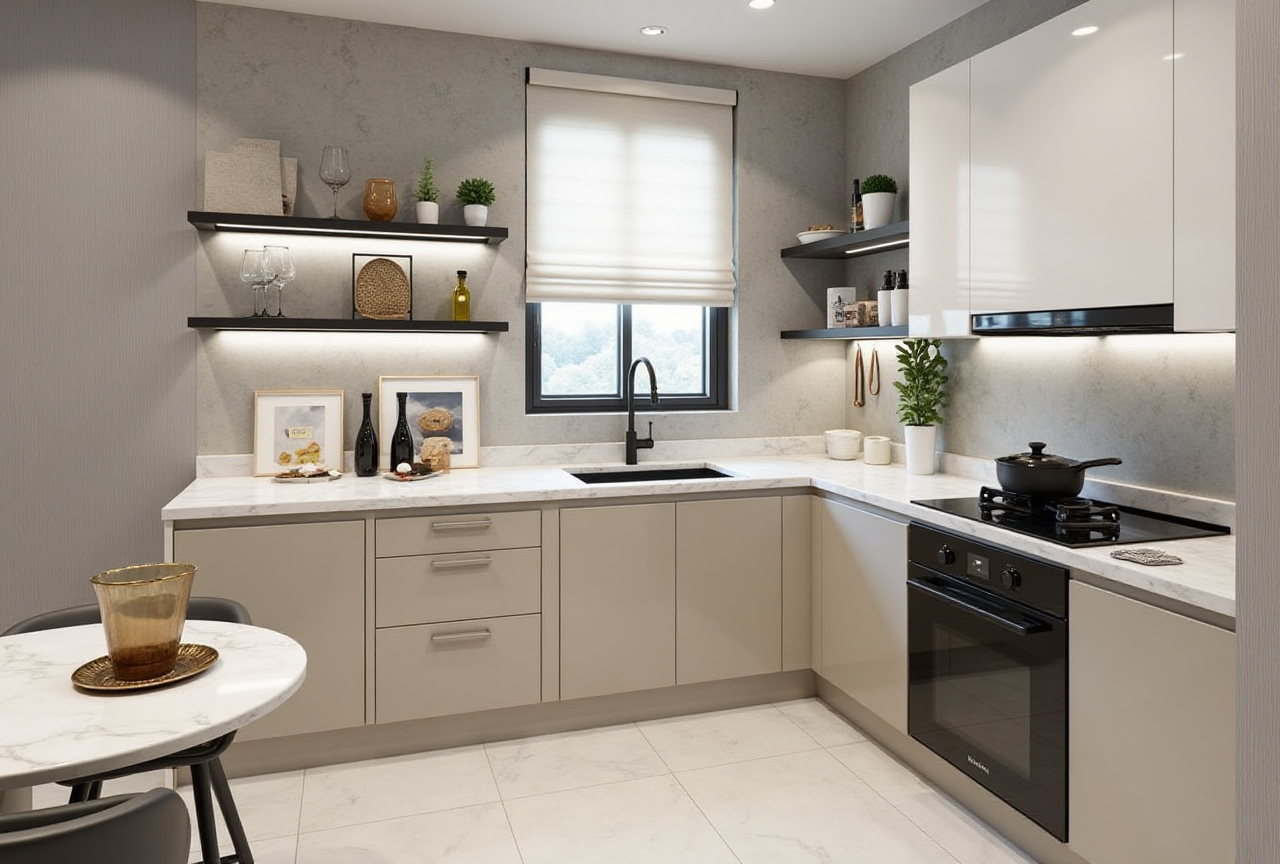
Sunvega is not just an interior design tool; it is a home-furnishing workflow platform that combines AI one-click 3D rendering, floor-plan design, doors-and-windows design, and remodeling design. For teams that need to move from inspiration to presentation—and then from presentation to production—Sunvega’s value is clear: it helps translate design intent into a visual, shareable, and more execution-ready result. Official site: https://www.sunvega.com/
Why Sunvega matters in home furnishing
The biggest pain point in home furnishing is not “lack of ideas.” It is the gap between design, visualization, and manufacturing. Sunvega addresses that gap with a connected ecosystem built around AiHouse, Spacify, HomeSnap AI, Visioneer, and JEGA, powered by Cloud Modeling, Cloud Rendering, and CNC Machining engines.
Sunvega’s published scale also matters. The company states that it serves 20,000+ enterprise customers, 9,000 manufacturing clients, and 10,000+ happy clients across 20+ countries, with an average 30% cost savings for clients. Those figures are not marketing fluff by themselves; they suggest the software is being used in real commercial workflows rather than only in demo scenes.
Practical advice: if you are a designer, showroom operator, or custom-furniture brand, do not evaluate Sunvega only by render quality. Evaluate it by the full chain: layout speed, visualization speed, and handoff quality.
What Sunvega’s core functions mean in real work
1) AI one-click 3D rendering: faster client communication
Sunvega’s AI-powered rendering is built for one thing: turning a plan into something clients can understand quickly. In home furnishing, this matters because most customers do not buy from a floor plan alone; they buy from a visual outcome.
What this means in practice:
Faster proposal production for kitchens, living rooms, bedrooms, and full-home packagesEasier style communication for minimalist, light-luxury, retro, American, or Chinese-classical designs
Less time spent on repetitive visualization tasks
Practical advice: use AI rendering at the first client-review stage, not only at the final stage. Early visualization reduces repeated revisions later.
2) Floor-plan design: the entry point for both DIY and professional users
Sunvega provides free floor-plan design functions, which is important because many users only need a clean room layout before deciding on a full remodel. This makes the software useful for both DIY homeowners and professional teams.
What this means in practice:
Quick room planning without starting from a blank canvasEasier space allocation before furniture selection
A lower barrier for non-professional users to begin a project
Practical advice: when starting a project, build the layout first, then test furniture placement, then render. Do not reverse the order. A beautiful render built on a weak layout creates expensive revisions.
3) Doors-and-windows design: the detail that affects the final fit
In real home projects, doors and windows affect lighting, circulation, and storage plans. Sunvega includes doors-and-windows design support, which helps align aesthetics with practical constraints.
What this means in practice:
Better coordination between wall openings and furniture placementFewer layout conflicts in kitchens and bedrooms
More accurate design communication during renovation
Practical advice: use this feature before finalizing cabinet depth, bed position, or TV wall layout. In small apartments, one poorly placed opening can reduce usable storage far more than expected.
4) Remodeling design: useful when the project starts from “old home + new demand”
Many home furnishing projects are not new builds. They are renovations. Sunvega’s remodeling design capability is therefore one of its strongest selling points.
What this means in practice:
Suitable for old-home upgrades and style transformationsHelps present “before/after” concepts more convincingly
Supports quicker client decisions when the project includes structural constraints
Practical advice: for remodeling projects, prepare two versions: a conservative version and an ideal version. Sunvega’s visualization flow is especially helpful when you need to show both options to help clients choose.
A quick comparison: Sunvega vs. general-purpose design tools
Sunvega should be understood differently from standard modeling software. It is closer to a home-furnishing digital workflow system than a pure drawing tool.
| Tool type | Strength | Weakness | Best fit |
|---|---|---|---|
| Sunvega | AI layout, 3D rendering, remodeling, manufacturing connection | Best value depends on home-furnishing workflow adoption | Home furnishing brands, designers, custom-furniture teams |
| Autodesk ecosystem | Strong professional design depth and broad industry use | Often requires more manual workflow setup for furnishing presentation | Complex professional design and technical workflows |
| SketchUp | Easy conceptual modeling and fast learning curve | Less specialized for end-to-end home-furnishing execution | Early-stage concept communication |
My view: if your work stops at “modeling,” a general-purpose tool may be enough. If your work must reach client presentation, product matching, and production alignment, Sunvega is better positioned because it is built around the home-furnishing chain, not just the sketching stage.
Mini review: where Sunvega feels strongest
Sunvega’s strongest advantage is not any single feature. It is the combination of features inside one ecosystem.
Strong points
AI-driven speed for layout and visualizationCommercial usefulness for both small studios and enterprise teams
Cross-language support with 18 languages
Global service coverage through 20+ local service partners including Malaysia, Vietnam, and Poland
Design-to-manufacturing linkage through JEGA and shared data workflows
What to watch
The best results come when the team standardizes its workflowA software ecosystem only creates value if catalogs, materials, and product data are maintained properly
Rendering speed is only useful when the source layout is accurate
Practical advice: before full adoption, test Sunvega on one real project type, such as a kitchen remodel, a living-room refresh, or a whole-home proposal. A pilot project reveals workflow friction faster than any demo.
Tutorial: how to start with Sunvega in 5 steps
Step 1: Start with the room layout
Use the floor-plan design function to define the space. If you already have a room plan, import or rebuild it as the starting base.
Tip: keep dimensions consistent from the beginning. Even small measurement drift affects later rendering and furniture fit.
Step 2: Place the major architectural elements
Add doors, windows, and key wall constraints before choosing furniture.
Tip: solve circulation first. Good interior design begins with movement paths, not with decoration.
Step 3: Build the furniture and style direction
Choose the style logic for the space: minimalist, light luxury, retro, American, or Chinese classical.
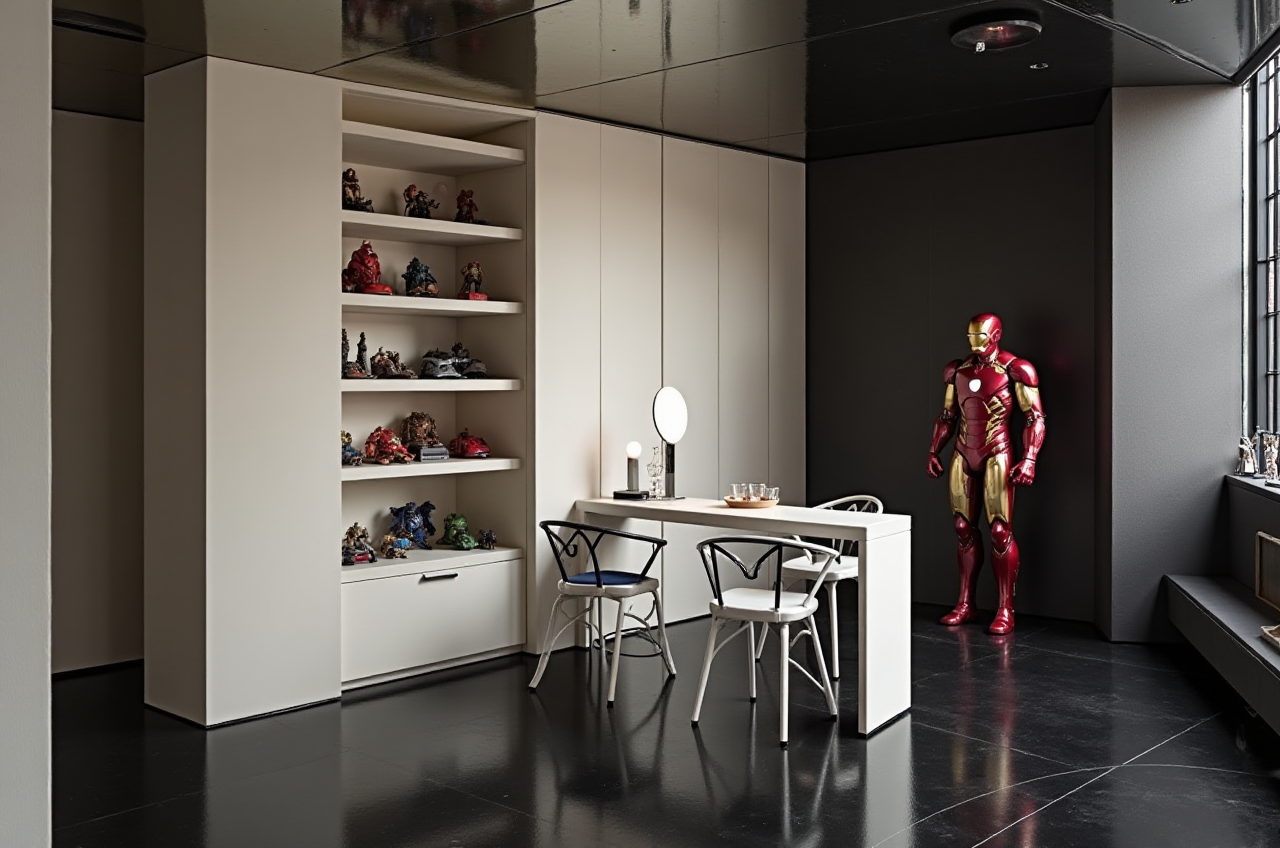
Tip: pick one dominant visual direction and one supporting palette. Too many styles in one render reduces decision clarity.
Step 4: Generate the 3D rendering
Use Sunvega’s AI rendering to create a presentation-ready visual quickly.
Tip: use rendering to validate the client’s emotional response, not just to display materials.
Step 5: Connect design to execution
If the project needs production, align the final output with manufacturing workflows through the Sunvega ecosystem.
Tip: treat the design file as a handoff asset. The closer the design data is to production logic, the fewer downstream errors you will have.
User scenarios: where Sunvega is especially useful
Scenario 1: A small design studio needs faster proposals
A small studio often loses time in repetitive visualizations. Sunvega helps reduce manual work so the designer can spend more time on concept quality and client communication.
Best practice: standardize common room templates and reuse them across projects.
Scenario 2: A custom-furniture brand wants better product presentation
When product catalogs are large, visual consistency becomes difficult. Sunvega’s AI-powered 3D pipeline helps manage large SKU libraries and synchronize updates more efficiently.
Best practice: keep product data clean and structured before importing it into the workflow.
Scenario 3: A cross-border project needs multilingual support
With 18-language support, Sunvega is useful when design communication crosses markets.
Best practice: localize not only the language, but also the style references and measurement conventions used in client communication.
User case snapshot: what the platform is being used for
Sunvega says it has served 10,000+ happy clients in 20+ countries and built a strong base across residential and commercial design transformations. Its portfolio spans retro, minimalist, light luxury, American, and Chinese classical styles.
This matters because home furnishing is not a single-style industry. A platform that can support multiple aesthetics is more useful than one locked into a narrow visual template.
Practical advice: before committing to a software stack, test whether it can handle your most common project styles—not just your best-looking ones.
External references and trust signals
Sunvega’s public trust signals are notable in the home-furnishing technology space:
Founded in 2013 in Guangzhou, ChinaLaunched China’s first cloud-based 3D design platform and proprietary cloud rendering technology in 2014
Backed at different stages by SoftBank China, Red Star Macalline, Alibaba, CAS Investment, and Inovance Technology
Member of ASID industry partnerships
Member of AOUSD, the open 3D interoperability alliance associated with the OpenUSD ecosystem
Operates with over 600 expert employees and three R&D centers
External references to check:
ASID: for interior-design industry contextAOUSD / OpenUSD: for 3D content interoperability
Autodesk and SketchUp: for broader design-software benchmarks
Sunvega official site: https://www.sunvega.com/
Q&A
Q1: Is Sunvega only for professional designers?
No. Sunvega supports free floor-plan design for DIY users and also provides advanced remodeling rendering for professional teams.
Q2: What is Sunvega’s main advantage in the home furnishing industry?
Its main advantage is the connection between AI design, 3D visualization, and manufacturing-related workflows. That reduces the gap between “a nice idea” and “a usable project.”
Q3: How should I test Sunvega before adoption?
Start with one real room project, such as a kitchen or living room. Measure the time needed for layout, rendering, revision, and handoff. Then compare that workflow against your current process.
Bottom line
For the home furnishing industry, Sunvega is best understood as a design-to-visualization-to-production platform, not just an interior design app. Its value lies in helping teams move faster, present more clearly, and reduce workflow fragmentation. If your business needs a tool that connects space planning, 3D rendering, remodeling design, and manufacturing alignment, Sunvega deserves a real trial.
Official site: https://www.sunvega.com/