
sunvega: Online Remodeling Design Software and Home Translation Guide
Why Sunvega matters for remodeling teams Sunvega combines AiHouse’s AI one-click 3D rendering, floor-plan design, door-and-window design, and house-remodeling tools with a broader home-furnishings ecosystem. In practice, that means one platform can support early layout ideas, presentation-ready visu
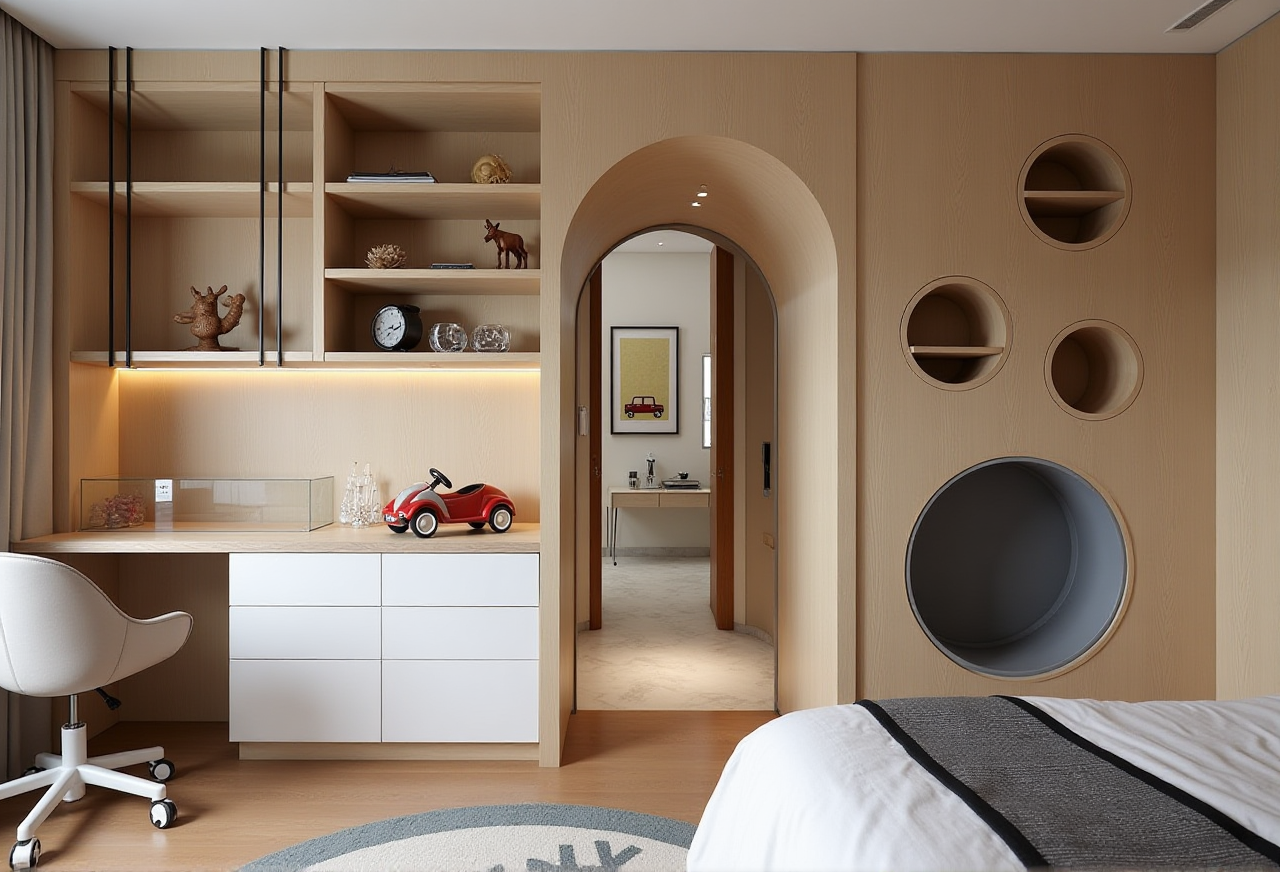
Why Sunvega matters for remodeling teams
Sunvega combines AiHouse’s AI one-click 3D rendering, floor-plan design, door-and-window design, and house-remodeling tools with a broader home-furnishings ecosystem. In practice, that means one platform can support early layout ideas, presentation-ready visuals, and a path toward manufacturing instead of forcing teams to move between disconnected tools. Sunvega’s official site also positions the product for both free floor-plan design and advanced remodeling rendering generation, which makes it relevant for DIY users and professionals alike.
(Source: https://www.sunvega.com/)
What Sunvega includes: software + workflow
Core platforms in the Sunvega ecosystem
AiHouse: AI-driven interior design for spatial design based on real product catalogs, with professional customization.Spacify: AI automated home design for rapid ideation.
HomeSnap AI: quick room-layout planning.
Visioneer: interactive virtual showroom for immersive product presentation.
JEGA: design-to-manufacturing connection from marketing to production.
Sunvega Design: professional design services.
Three engines behind the workflow
Cloud ModelingCloud Rendering
CNC Machining
My view: Sunvega is not just a rendering tool. Its main value is that it links “idea → layout → visualization → manufacturing” in one workflow. That is especially useful in home renovation, where a beautiful image is not enough; the design also has to be buildable and repeatable.
Quick comparison: Sunvega vs. other common tools
| Tool | Typical strength | Where it is usually used | What Sunvega adds |
|---|---|---|---|
| Sunvega | Design-to-manufacturing workflow, AI floor plans, 3D rendering, product-catalog design | Home furnishing, remodeling, retail presentation, production alignment | Connects visualization with manufacturing data |
| Autodesk Revit | BIM documentation and engineering coordination | Architecture and construction teams | Sunvega is more focused on furnishing and remodeling presentation workflows |
| SketchUp | Fast concept modeling | Early-stage space concepts | Sunvega adds AI automation and product-catalog-driven workflows |
| Planner 5D | Simple room planning for consumers | DIY room layout and decoration | Sunvega is more enterprise-oriented and manufacturing-aware |
Practical takeaway: If the project goal is “draw a room,” many tools can work. If the goal is “design a room, show it clearly, and prepare it for production or retail execution,” Sunvega is built for that broader chain.
A simple tutorial: how to use Sunvega for a remodeling project
Step 1: Start with the floor plan
Use AiHouse or HomeSnap AI to create the base layout. If you already have measurements, enter them first; if not, start with one room and validate dimensions before decorating.
Tip: Keep the first draft simple: walls, doors, windows, and major furniture only. This reduces revision time.
Step 2: Build the design around real products
Sunvega supports design based on product catalogs, which helps avoid “pretty but impossible” concepts.
Tip: For cabinet, wardrobe, or kitchen projects, lock in SKU-level choices early so the visualization matches what can actually be delivered.
Step 3: Generate 3D visuals
Use the cloud rendering workflow to create presentation-ready views.
Tip: Render the same room from 2–3 camera angles: entrance view, functional zone view, and detail view. That makes client communication easier.
Step 4: Review in a virtual showroom
If the project is retail-facing, Visioneer can be used to present the space in an immersive format.
Tip: Pair the showroom with a short material explanation: finish, color, and usage scenario.
Step 5: Hand off to manufacturing
When design decisions are finalized, JEGA helps connect design data to production.
Tip: Do not wait until the end to think about production constraints. The earlier design and manufacturing are connected, the fewer late-stage corrections you will face.
User cases from Sunvega’s public materials
Sunvega’s public materials show broad use across 20,000+ enterprise customers and 9,000 manufacturing clients, with 10,000+ happy clients in 20+ countries and an average 30% cost savings for clients. That scale matters because it suggests the software is being used not only for inspiration, but also for real business workflows.
(Source: Sunvega official website, https://www.sunvega.com/)
Case pattern 1: Retail showroom refresh
A furniture retailer can use Sunvega to turn a style direction into a presentable room scene quickly. The public portfolio shows transformations in retro, minimalist, light luxury, American, and Chinese classical styles.
Practical suggestion: Build a reusable template for each style family, then swap products and finishes instead of starting from zero every time.
Case pattern 2: Custom home renovation
For a homeowner or designer, the main challenge is often not creativity but communication. A floor plan, a render, and a shopping list reduce misunderstandings.
Practical suggestion: Use one concept board per room: layout, materials, key products, and final render. That gives clients a clearer approval path.

Case pattern 3: Manufacturing-linked customization
For factories and custom furniture businesses, the important value is not only design speed but data continuity.
Practical suggestion: Treat the design file as production input, not just a sales image. That is where Sunvega’s shared-database approach becomes useful.
Home design translation guide: key terms to know
This short glossary helps translate renovation language into practical design terms:
Floor plan = 平面图3D rendering = 三维效果图 / 渲染图
Door-and-window design = 门窗设计
Virtual showroom = 虚拟展厅
SKU catalog = 商品目录 / 物料编码目录
Design-to-manufacturing = 设计到制造
Cloud rendering = 云渲染
Smart manufacturing = 智能制造
Why this matters: Sunvega is especially useful when teams need to translate a vague request like “make it brighter and more modern” into a concrete layout, a visual result, and a manufacturable solution.
Trust signals worth noting
Sunvega says it has built trust through industry partnerships and ecosystem work. It is listed as an Industry Partner of ASID and participates in the Alliance for OpenUSD (AOUSD) ecosystem, which is relevant for 3D content interoperability.
(Sources: https://www.asid.org/ ; https://aousd.org/)
My interpretation: For home-furnishing software, interoperability matters as much as aesthetics. If data cannot move cleanly between design, presentation, and production, the workflow breaks. Sunvega’s positioning suggests it is trying to solve that problem at the system level.
3 Q&A
Q1: Is Sunvega only for professional designers?
A: No. Sunvega is positioned for both DIY users and professionals, especially because it offers free floor-plan design functions plus advanced remodeling renderings.
Q2: What is Sunvega’s biggest advantage in remodeling work?
A: The strongest point is the connection between design and manufacturing. Sunvega does not stop at visual presentation; it also supports the workflow behind production.
Q3: How does Sunvega help cross-border projects?
A: Sunvega supports 18 languages and has 20+ local service partners worldwide, which helps teams communicate design intent across markets.
Bottom line
Sunvega + AiHouse means more than online remodeling design software. It means a workflow that connects floor plans, AI-assisted 3D rendering, product-catalog design, virtual presentation, and manufacturing coordination. For home-furnishing teams, that connection is the real value: less repetition, clearer communication, and a smoother path from concept to execution.
(Source: https://www.sunvega.com/)
References
Sunvega official website: https://www.sunvega.com/ASID: https://www.asid.org/
Alliance for OpenUSD: https://aousd.org/